SEO Gets
Last updated: April 1, 2026
Quick Answer: SEO Gets is a professional SEO analytics platform that replaces Google Search Console and GA4 with a faster, more powerful dashboard. It supports 50,000 data rows (vs. GSC’s 1,000), offers one-click topic clustering, content grouping, and team management, and is trusted by 4,000+ SEO professionals. For agencies and consultants managing multiple sites, it delivers measurably faster insights than native Google tools.
Key Takeaways
- SEO Gets pulls 50x more data than GSC — 50,000 rows vs. 1,000 rows per query
- Master dashboard lets you monitor all your sites in one place, no tab-switching required
- One-click content groups and topic clusters replace hours of manual CSV work
- GA4 + GSC integration shows organic performance more accurately than either native tool alone
- Index health monitoring flags pages at risk of de-indexing before rankings drop
- Shared annotations and SEO testing are built in, features GSC simply doesn’t have
- 5,000-page index reporting vs. GSC’s 1,000-page cap
- Praised by SEO experts including Aleyda Solis, Kevin Indig, and Carl Hendy
- Free trial available at seogets.com
- Best for: SEO agencies, consultants, and in-house teams managing multiple websites
What Is SEO Gets and Who Is It For?
SEO Gets is a dedicated SEO analytics platform built to replace the daily workflow inside Google Search Console and GA4.
It connects directly to both tools but presents your data in a faster, more structured interface, with features like content grouping, keyword cannibalization detection, and index health monitoring that Google’s native tools don’t offer.
Co-founder Matthew Mellinger positions the product around a specific frustration that most SEO professionals know well: you spend more time finding data than acting on it.
Endless GSC tabs, manual CSV exports, and custom Looker dashboards eat hours that should go toward strategy.
SEO Gets is best suited for:
- SEO agencies managing 5+ client sites
- In-house SEO teams at mid-size to enterprise companies
- Independent consultants who bill by deliverables, not hours
- Content strategists who need keyword clustering without a separate tool
It’s less ideal for: Solo bloggers managing a single site with minimal reporting needs, or businesses that need full backlink auditing and competitor research (tools like Ahrefs or SEMrush cover that ground better).
How Does SEO Gets Compare to Google Search Console?
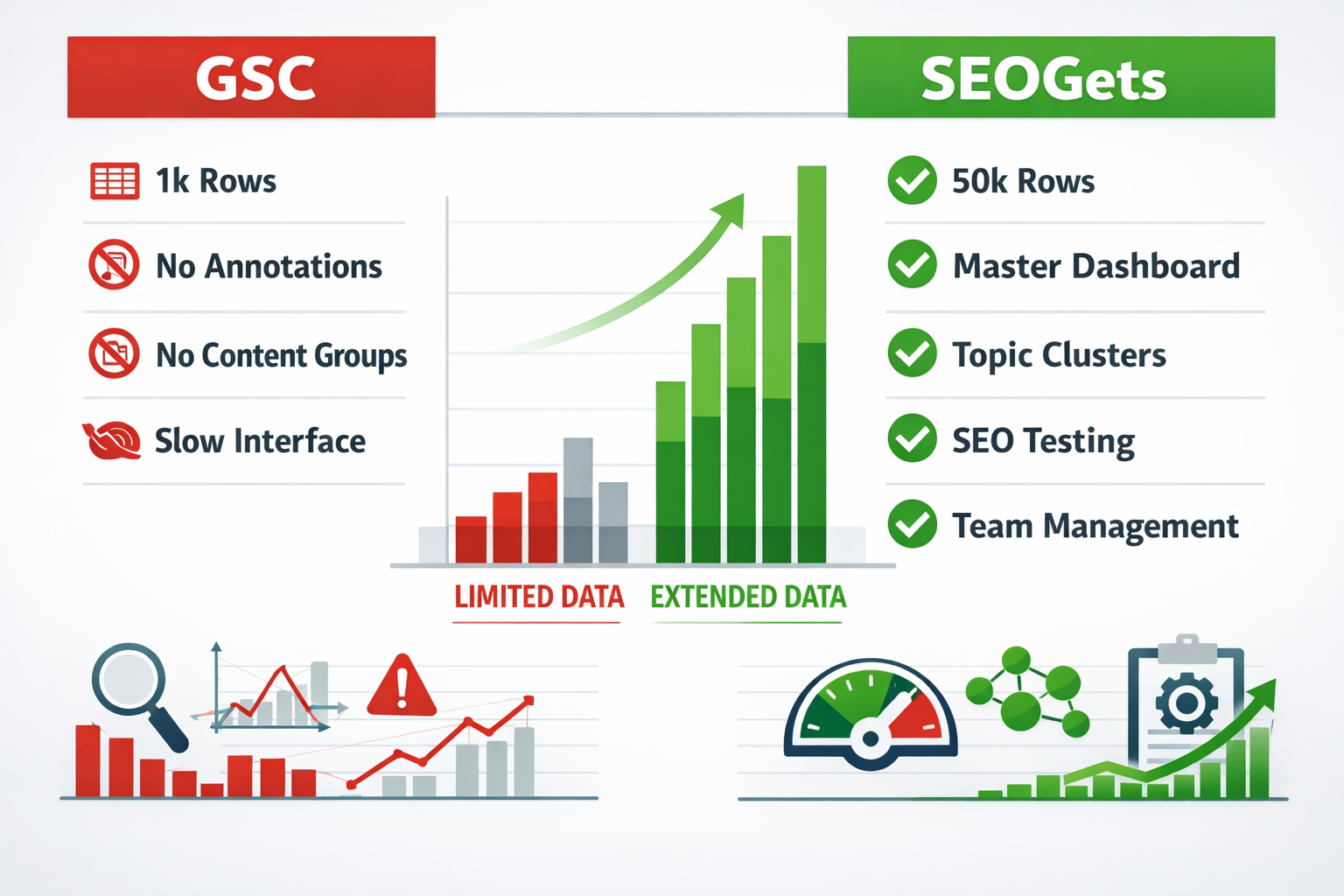
GSC is free and useful, but it was built as a webmaster diagnostic tool — not an SEO analytics platform.
SEO Gets is purpose-built for the analytics workflow, and the differences are significant.
| Feature | Google Search Console | SEO Gets |
|---|---|---|
| Data rows per query | 1,000 | 50,000 |
| Pages in index report | 1,000 | 5,000 |
| Master multi-site dashboard | ✗ | ✓ |
| Team management | ✗ | ✓ |
| Shared annotations | ✗ | ✓ |
| Content groups | ✗ | One-click |
| Topic clusters | ✗ | One-click |
| SEO A/B testing | ✗ | ✓ |
| Interface speed | Slow | Fast |
| GA4 integration | Separate tool | Unified view |
The 50x row increase alone changes what’s possible. When you’re analyzing a site with thousands of pages, GSC’s 1,000-row cap means you’re making decisions on incomplete data. SEO Gets surfaces the full picture.
What Are the Key Features of SEO Gets?
SEO Gets covers the full organic search analytics workflow in one dashboard. Here’s a breakdown of the core features:
Master Dashboard
All your connected sites appear in a single view with traffic, clicks, impressions, and ranking trends visible at a glance. No logging in and out of separate GSC properties.
Content Groups and Topic Clusters
Group URLs by category, product line, or content type with one click. Topic clusters let you see how a group of related pages performs as a unit, useful for identifying which content themes drive the most organic growth.
Keyword Cannibalization Report
Flags pages competing for the same queries, including a dedicated view for top non-branded queries. This is a common SEO problem that GSC makes nearly impossible to detect at scale.
Striking Distance Report
Shows keywords ranking between positions 4–20, the highest-ROI optimization targets. A non-branded query view was added in early 2026 to help prioritize decisions without brand traffic skewing the data.
Content Decay Report
Identifies pages losing organic traffic over time, with improved tooltips and URL visibility added in recent updates. Catching decay early is far cheaper than recovering lost rankings.
Index Health Monitoring
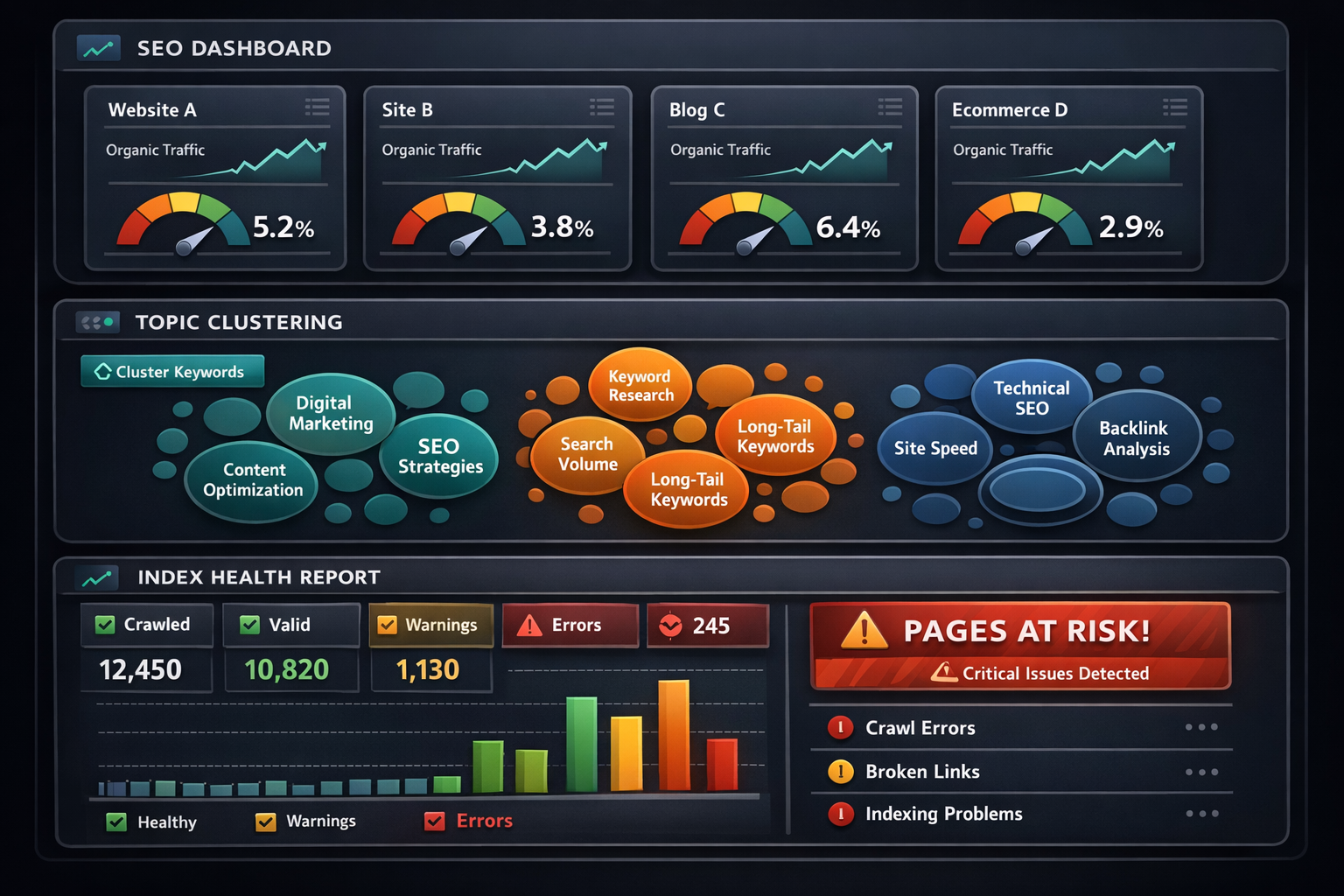
A “Pages at risk for de-indexing” filter, released March 17, 2026, highlights pages with last crawl dates over 90 days. Pages exceeding 130 days without a crawl show a greater than 50% drop in indexing probability. One-click Google recrawl submission is built in.
SEO Testing
Run controlled tests on title tags, meta descriptions, and on-page changes to measure actual ranking impact, not just correlation.
GA4 Integration
Key events tables, source/medium breakdowns, and export support are all included. The data matches GA4 1:1 but is presented through a custom organic-focused view that makes performance clearer than GA4’s default reports.
What Does the SEO Gets Workflow Look Like in Practice?
For a typical agency managing 10 client sites, the daily SEO Gets workflow takes roughly 20–30 minutes instead of 2–3 hours.
Here’s how that works in practice:
Step-by-step morning workflow:
- Open the Master Dashboard — scan all sites for traffic anomalies or ranking drops overnight
- Check Index Health — review any newly flagged pages at risk of de-indexing; submit recrawl requests with one click
- Review Content Decay — identify pages that dropped more than 10% week-over-week
- Run Striking Distance filter — pull keywords between positions 4–20 for quick-win optimization
- Check Cannibalization report — flag any new keyword conflicts before they compound
- Export or share — use built-in reporting to send updates to clients or stakeholders
Compare that to the GSC workflow: open each property separately, hit the 1,000-row export limit, download CSVs, paste into spreadsheets, build pivot tables, then do it again for GA4.
The time savings are real and compound across every client.
What Do SEO Experts Say About SEO Gets?
The tool has earned endorsements from some of the most recognized names in the SEO industry.
Aleyda Solis, Kevin Indig, Carl Hendy, and Alyssa Corso have all recommended it specifically for agencies and consultants who need centralized GSC and GA4 data without the manual overhead.
A reviewer at DDIY.co (published February 2025) highlighted the intuitive dashboard for CTR analysis, keyword cannibalization detection, and the 50,000-row CSV export as standout differentiators for multi-site analytics.
G2 users consistently note the clean interface and the quality of insights for making informed content decisions, a direct contrast to the limitations they’d experienced inside GSC.
“Stop wasting time clicking around in GSC, exporting CSVs, and building Looker dashboards. There is a better way.” — Matthew Mellinger, Co-founder, SEO Gets
The tool has also been covered in YouTube reviews calling it a significant upgrade for GSC-based workflows.
How Is SEO Gets Priced?
SEO Gets offers tiered pricing designed to scale from solo consultants to large agencies. Specific plan prices are listed on the official pricing page at seogets.com, and a free trial is available without requiring a credit card upfront.
What to expect across plan tiers:
- Starter/Solo plans — single user, limited site connections, core dashboard features
- Agency plans — multi-user team management, higher site limits, full reporting suite
- Enterprise/Custom — tailored for large teams with advanced integration needs
Pricing considerations by business size:
| Business Type | Recommended Plan | Key Value |
|---|---|---|
| Freelance consultant | Starter | Master dashboard, 50k rows |
| Small agency (2–5 clients) | Mid-tier | Team management, annotations |
| Large agency (10+ clients) | Agency/Enterprise | Full multi-site, custom reporting |
For ROI framing: if SEO Gets saves an agency analyst 8 hours per week on reporting, at a $75/hour billing rate, that’s $600/week in recovered billable time, well above any monthly subscription cost at current pricing tiers.
How Does SEO Gets Compare to Other SEO Tools?
SEO Gets occupies a specific niche: it’s not a full-suite competitor to Ahrefs or SEMrush, but it’s significantly more powerful than GSC for analytics and reporting.
| Tool | Best For | GSC Replacement? | Backlinks? | Multi-site Dashboard? |
|---|---|---|---|---|
| SEO Gets | Analytics & reporting | ✓ Yes | ✗ | ✓ Yes |
| SE Ranking | All-in-one audits | Partial | ✓ | Partial |
| Ahrefs | Backlinks & keywords | ✗ | ✓ | ✗ |
| SEMrush | Research & tracking | ✗ | ✓ | ✗ |
| SpyFu | Competitor PPC/SEO | ✗ | Partial | ✗ |
| Google Search Console | Free baseline | — | ✗ | ✗ |
Choose SEO Gets if: your primary bottleneck is time spent in GSC and GA4, you manage multiple sites, and you need faster reporting without building custom dashboards.
Choose Ahrefs or SEMrush if: you also need backlink analysis, competitor keyword research, or site audit crawling as core parts of your workflow.
What Are the Pros and Cons of SEO Gets?
Pros:
- 50x more data rows than GSC (50,000 vs. 1,000)
- One-click content grouping and topic clustering saves hours weekly
- Index health monitoring with de-indexing risk alerts
- Shared annotations make team collaboration and client reporting cleaner
- GA4 integration shows organic data more clearly than GA4’s native interface
- Fast, modern UI that doesn’t feel like a Google product from 2015
- Trusted by recognized SEO professionals
Cons:
- Not a full SEO suite — no backlink database or competitor research
- Newer platform, so the feature set is still expanding
- Best value for multi-site users; single-site users may find it harder to justify vs. free GSC
Frequently Asked Questions About SEO Gets
What is SEO Gets?
SEO Gets is an SEO analytics platform that connects to Google Search Console and GA4 to provide faster, more comprehensive organic performance data. It offers 50,000 data rows, a master multi-site dashboard, topic clustering, and index health monitoring — features GSC doesn’t include.
Is SEO Gets a replacement for Google Search Console?
It’s a replacement for the daily workflow inside GSC, not the underlying data connection. SEO Gets pulls data from GSC but presents it in a far more usable format with 50x more rows and additional analytics layers.
How many sites can I manage with SEO Gets?
The number of connected sites depends on your plan tier. Agency and enterprise plans support multiple sites with a shared master dashboard. Check current limits at seogets.com.
Does SEO Gets integrate with GA4?
Yes. GA4 integration includes key events tables, source/medium breakdowns, and export support. The data matches GA4 1:1 but is presented through an organic-focused custom view.
What is the “Pages at Risk” feature?
Released March 17, 2026, this filter in the indexing report highlights pages with last crawl dates over 90 days. Pages beyond 130 days without a crawl have a greater than 50% chance of losing indexed status.
SEO Gets: FAQs
Can I export data from SEO Gets?
Yes. SEO Gets supports CSV exports up to 50,000 rows — a major upgrade over GSC’s 1,000-row export cap.
Is there a free trial?
Yes. A free trial is available at seogets.com without requiring upfront payment.
Who endorses SEO Gets?
Recognized SEO professionals including Aleyda Solis, Kevin Indig, Carl Hendy, and Alyssa Corso have recommended it for agency and consultant use cases.
Does SEO Gets support team collaboration?
Yes. Team management, shared annotations, and multi-user access are included in agency-tier plans — none of which are available in native GSC.
What’s the difference between SEO Gets and SEMrush?
SEO Gets focuses on GSC/GA4 analytics and reporting. SEMrush is a broader research platform with backlink analysis, competitor tracking, and keyword databases. They serve different parts of the SEO workflow and can be used together.
Conclusion
SEO Gets solves a real problem that most SEO professionals hit within their first year of managing multiple sites: Google’s own tools are too slow, too limited, and too disconnected to support professional-grade analytics work.
The 50,000-row data cap, one-click content grouping, index health monitoring, and unified GA4 + GSC dashboard aren’t just nice-to-have features, they’re the difference between spending your day in spreadsheets or spending it on actual strategy.
Actionable next steps:
- Start the free trial at seogets.com — no credit card required
- Connect your GSC and GA4 properties and run the Index Health report first to find any at-risk pages
- Set up content groups for your top traffic categories to see which content themes are growing or decaying
- Run the Striking Distance report to find your fastest keyword wins
- Share the dashboard with your team or clients using annotations to replace your next reporting email
If you’re still exporting CSVs from GSC every Monday morning, SEO Gets is worth the 10 minutes it takes to set up.
References
Changelog – https://seogets.com/changelog/
Watch – https://www.youtube.com/watch?v=MUyzL2Q61OQ
Watch – https://www.youtube.com/watch?v=llAshlUpzOs
Seo gets – https://seogets.com

Pingback: Zarla AI Website Builder: Free to Build and Preview - A1Publishing