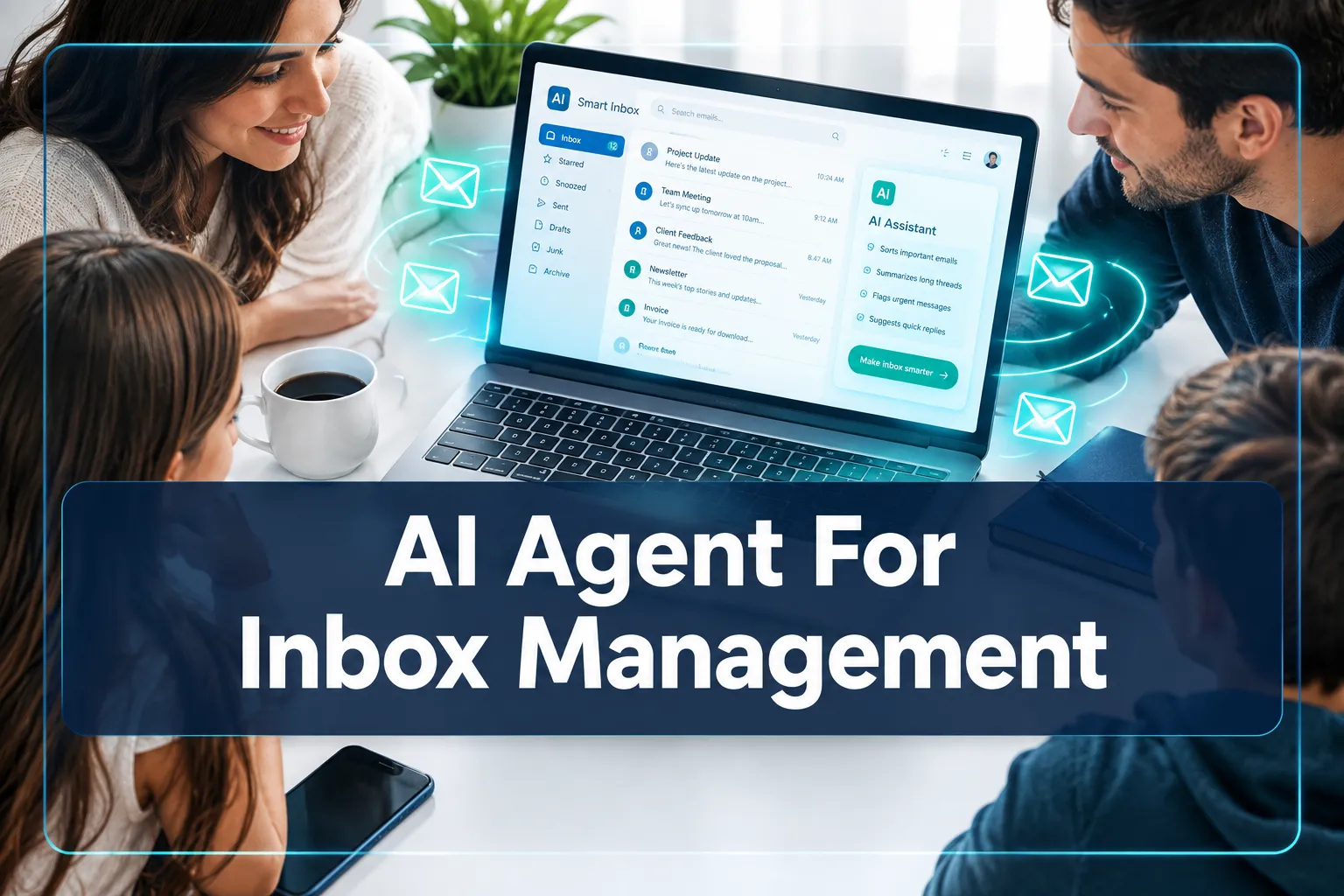
AI Agent For Inbox Management
Last updated: September 14, 2026
Quick Answer: An AI Agent For Inbox Management is a software system that autonomously monitors, sorts, prioritizes, and responds to emails on your behalf, without requiring you to issue commands for each action. The best tools in 2026 connect to Gmail or Outlook, learn your communication style, and handle spam, follow-ups, and draft replies in the background. If you receive more than 50 emails per day and spend over an hour managing them, an AI inbox agent will almost certainly save you meaningful time.
Key Takeaways
- AI inbox agents go far beyond filters: they classify, draft, prioritize, and act on email autonomously.
- Major platforms including Gmail (via Gemini) and Outlook (via Microsoft Copilot Agent Mode) now have native AI inbox agents built in.
- Dedicated tools like Superhuman offer deeper agentic features for power users and teams.
- Free tiers exist but serious users typically need a paid plan for full agentic behavior.
- Security and privacy vary widely across tools. Always check data retention and encryption policies before connecting your inbox.
- Common setup mistakes include skipping the training phase and using overly broad automation rules.
- AI inbox agents can handle spam and unsubscribe requests automatically, which is one of their most immediate time-saving benefits.
- The AI agent for email management category is growing fast, with voice-driven and cross-channel agents expected to become standard within 12 to 24 months.
Ready to explore a vetted AI inbox management solution? Start Here.
What Is an AI Agent For Inbox Management
An AI agent for inbox management is an autonomous software layer that sits between your email server and your inbox, continuously reading, classifying, and acting on messages without waiting for manual input.
Unlike a simple filter or rule, it uses language models to understand context, infer intent, and make judgment calls about what matters.
This is meaningfully different from older automation. A traditional filter checks whether a sender address matches a rule.
An AI inbox agent reads the email body, identifies whether it is a sales pitch, a client escalation, or a newsletter, and then decides whether to label it, draft a reply, archive it, or flag it for your attention.
The distinction matters because most real email does not fit neatly into predefined categories.
In 2026, the category spans three tiers: native AI features built into Gmail and Outlook, dedicated AI-native email clients like Superhuman, and open or API-based infrastructure tools for developers who want to build custom agents.
How Does an AI Inbox Agent Work
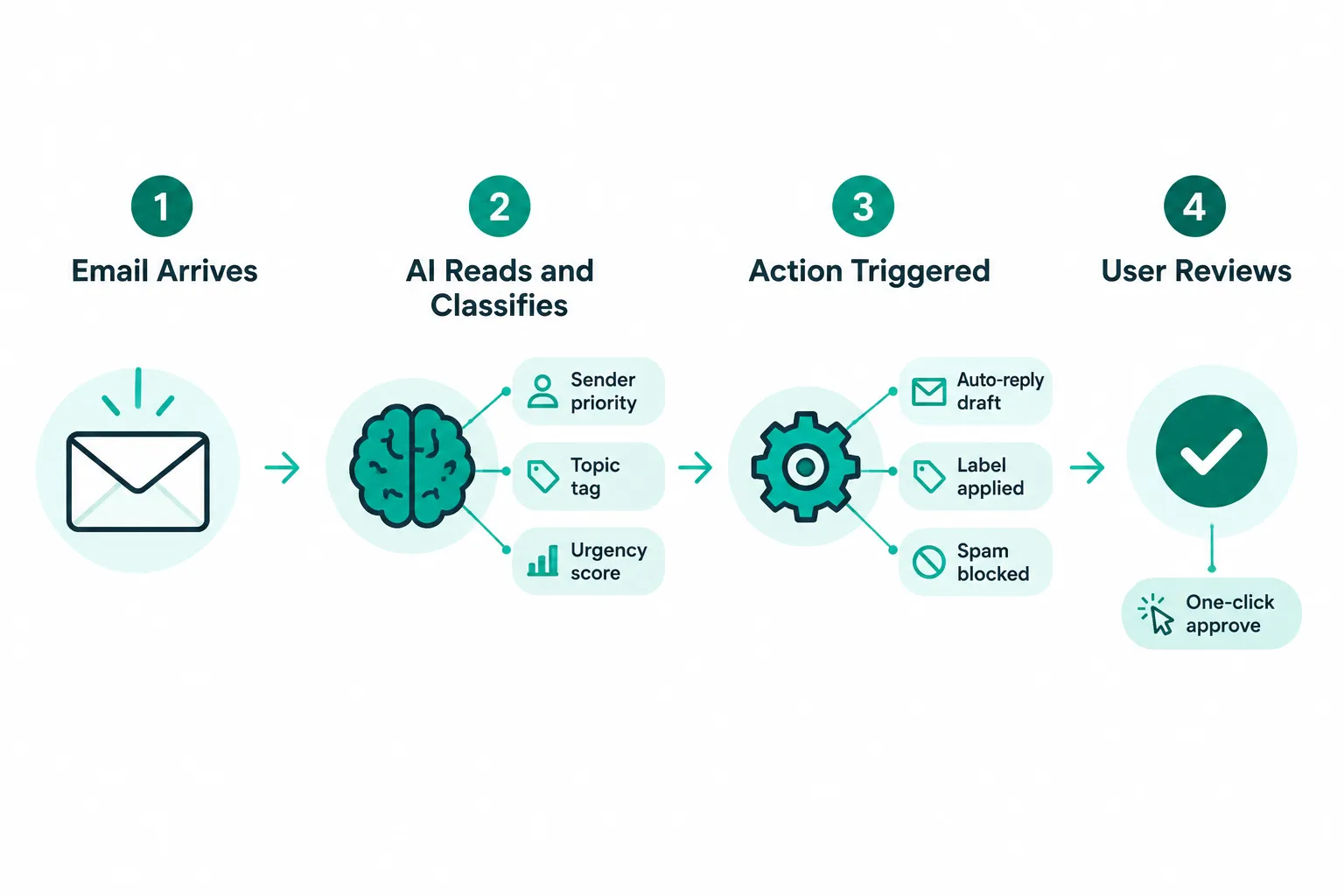
An AI inbox agent works by combining a large language model with access to your email account through an API, then executing a continuous loop of reading, classifying, and acting on messages according to rules you set or behaviors it learns over time.
The process typically follows four stages:
- Ingestion. The agent connects to your inbox via OAuth or an API key and reads incoming messages in near real time.
- Classification. It assigns each email a category, a priority score, and sometimes a sentiment tag. This step uses the language model to interpret meaning, not just keywords.
- Action. Depending on your settings, it may auto-label, auto-archive, draft a reply in your voice, block a sender, or trigger a follow-up reminder.
- Review. Most agents surface a daily or real-time digest of actions taken, so you can approve, override, or refine the behavior.
Tools like Superhuman Go and Superhuman Mail have moved this model toward fully proactive management, where the agent anticipates what you need before you open your inbox.
Google’s Gemini integration inside Gmail takes a similar approach for its more than 3 billion users, and Microsoft’s Copilot Agent Mode for Outlook targets the same autonomous inbox management goal for enterprise users.
AI Inbox Management vs. Traditional Email Filters
Traditional email filters are static rules that match specific conditions. AI inbox agents are dynamic systems that interpret meaning and adapt over time. The practical difference is that filters break when email patterns change, while AI agents adjust.
Consider a common scenario: a client who normally emails you project updates starts sending urgent contract questions.
A filter set to label that sender as “project updates” will mislabel those urgent messages. An AI agent reads the content, detects urgency, and escalates the message to your priority queue automatically.
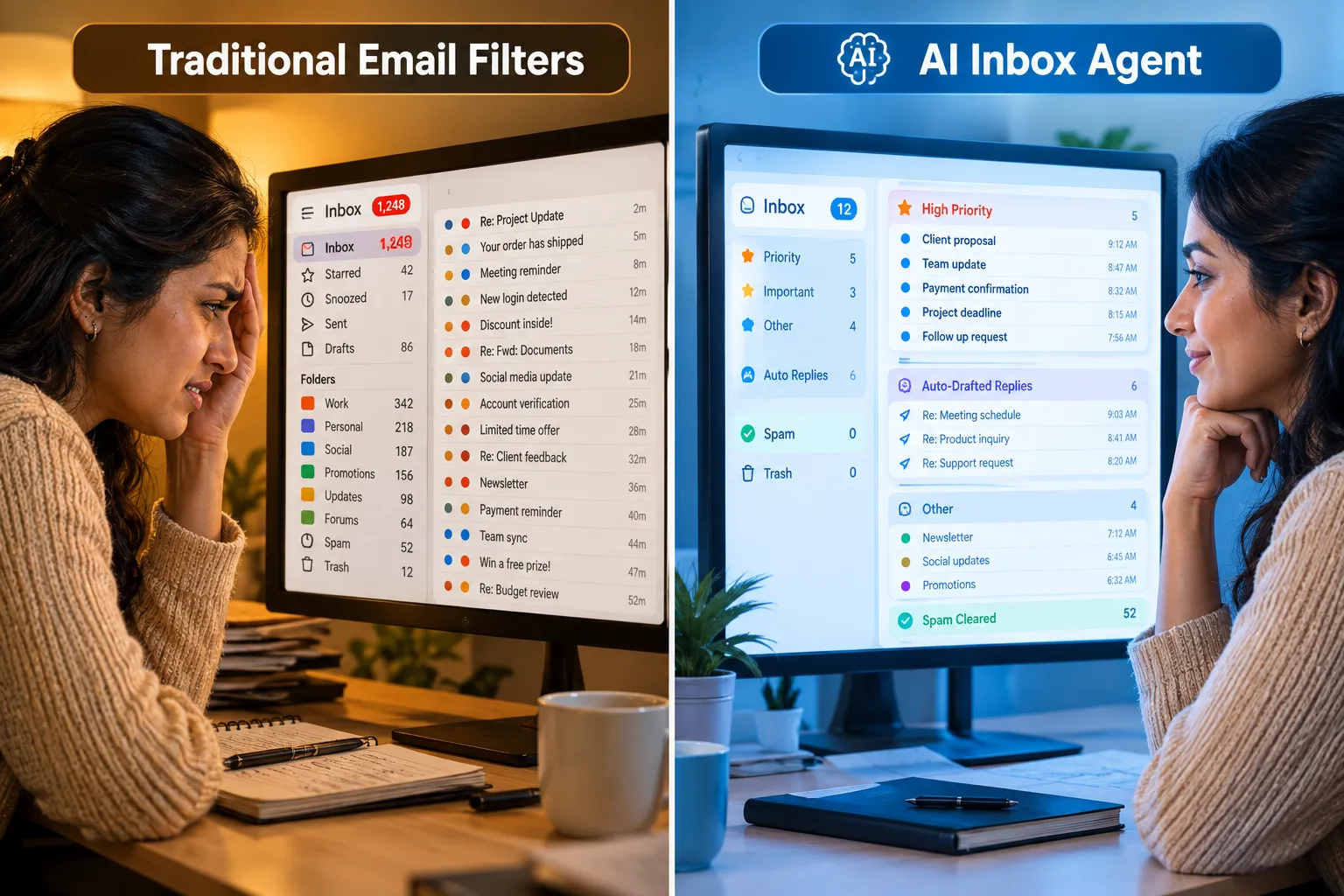
Key differences at a glance:
| Feature | Traditional Filters | AI Inbox Agent |
|---|---|---|
| Classification method | Keyword or sender match | Language model, context-aware |
| Adapts over time | No | Yes |
| Drafts replies | No | Yes |
| Handles novel email types | No | Yes |
| Requires ongoing manual updates | Yes | Minimal |
| Spam and unsubscribe handling | Basic | Automated and intelligent |
The gap widens as inbox volume grows. For anyone managing more than 100 emails per day, traditional filters create as much work as they save.
Can AI Agents Prioritize Emails Automatically
Yes. Automatic prioritization is one of the core functions of a modern AI inbox agent. The agent scores each incoming message based on sender history, content urgency, your past behavior, and calendar context, then surfaces the highest-priority items first.
Most tools let you define priority signals explicitly, such as flagging all emails from specific domains as high priority, but the more useful behavior is learned prioritization.
After observing which emails you open first, reply to quickly, and ignore, the agent builds a model of your priorities and applies it automatically.
Superhuman’s AI email assistant is one of the more cited examples of this learned prioritization approach.
Common mistake: Users who skip the initial training phase, where you confirm or correct the agent’s early classifications, end up with a priority queue that reflects the model’s defaults rather than their actual behavior. Spend the first two weeks actively correcting misclassifications. The agent learns faster with explicit feedback.
Best AI Tools For Managing Your Email Inbox
The best AI tools for inbox management in 2026 fall into three categories: native platform agents, dedicated AI clients, and team-oriented tools. The right choice depends on your email volume, workflow complexity, and whether you need individual or shared-inbox support.
Native platform agents (best for most users):
- Gmail with Gemini. Google has built increasingly agentic features directly into Gmail, including smart replies, priority filtering, and the experimental Gmail Live voice mode that lets you interact with your inbox conversationally. This is the lowest-friction starting point for Gmail users.
- Microsoft Copilot Agent Mode for Outlook. Part of the Microsoft 365 Frontier program, this targets autonomous inbox and calendar management for enterprise users.
Dedicated AI-native clients (best for power users):
- Superhuman remains the most discussed dedicated AI inbox platform. Its Superhuman Go and Superhuman Mail products offer proactive management across Gmail and Outlook, with AI that drafts replies in your voice and handles follow-up tracking. Independent reviews note its speed and AI layer as standout features, though the price point is higher than native options. See a detailed review breakdown here.
Team and shared-inbox tools (best for support or operations teams):
- Tools like alfred_, Missive, Fyxer, and Shortwave offer agentic workflows designed for shared inboxes, where multiple team members need coordinated access and AI-assisted triage.
According to a roundup of AI email assistants, the market has expanded significantly in 2026, with new entrants focusing on vertical-specific use cases like legal, sales, and customer support.
How Much Does an AI Inbox Management Tool Cost
AI inbox management tools range from free (with limited features) to over $30 per user per month for full agentic functionality.
Native options built into Gmail and Outlook are included with existing subscriptions, making them effectively free for current users.
Dedicated tools like Superhuman sit at the premium end of the market. Free tiers from tools like Inbox Zero and similar platforms offer basic AI sorting and unsubscribe automation, which is enough for light users.
For professionals who need draft generation, learned prioritization, and follow-up tracking, a paid plan is generally necessary.
Choosing by budget:
- Free or included: Gmail with Gemini (Google Workspace), Outlook with Copilot (Microsoft 365)
- Mid-tier: Shortwave, Fyxer, Missive (team plans)
- Premium: Superhuman (individual and team plans)
The honest framing is not cost per month but cost per hour saved. If a tool saves you 45 minutes per day and your time is worth $50 per hour, a $30 per month tool pays for itself in under two days of use.
Does AI Inbox Management Integrate With Gmail and Outlook
Yes. Integration with Gmail and Outlook is a baseline requirement for any serious AI inbox agent, and virtually every major tool in the category supports both.
Integration typically happens via OAuth authorization, meaning you grant the tool read and write access to your inbox without sharing your password.
Superhuman’s Gmail integration is one of the more detailed implementations, allowing the AI to read, label, draft, and send on your behalf within the Gmail environment.
Google’s own Gemini features are native to Gmail and require no third-party authorization. Microsoft’s Copilot Agent Mode works natively within Outlook as part of the Microsoft 365 ecosystem.
Edge case to watch: Some tools only support Gmail or only support Outlook. If you use both, or if your organization uses Google Workspace while you personally use Outlook, confirm cross-platform support before committing to a paid plan.
Is AI Inbox Management Secure and Private
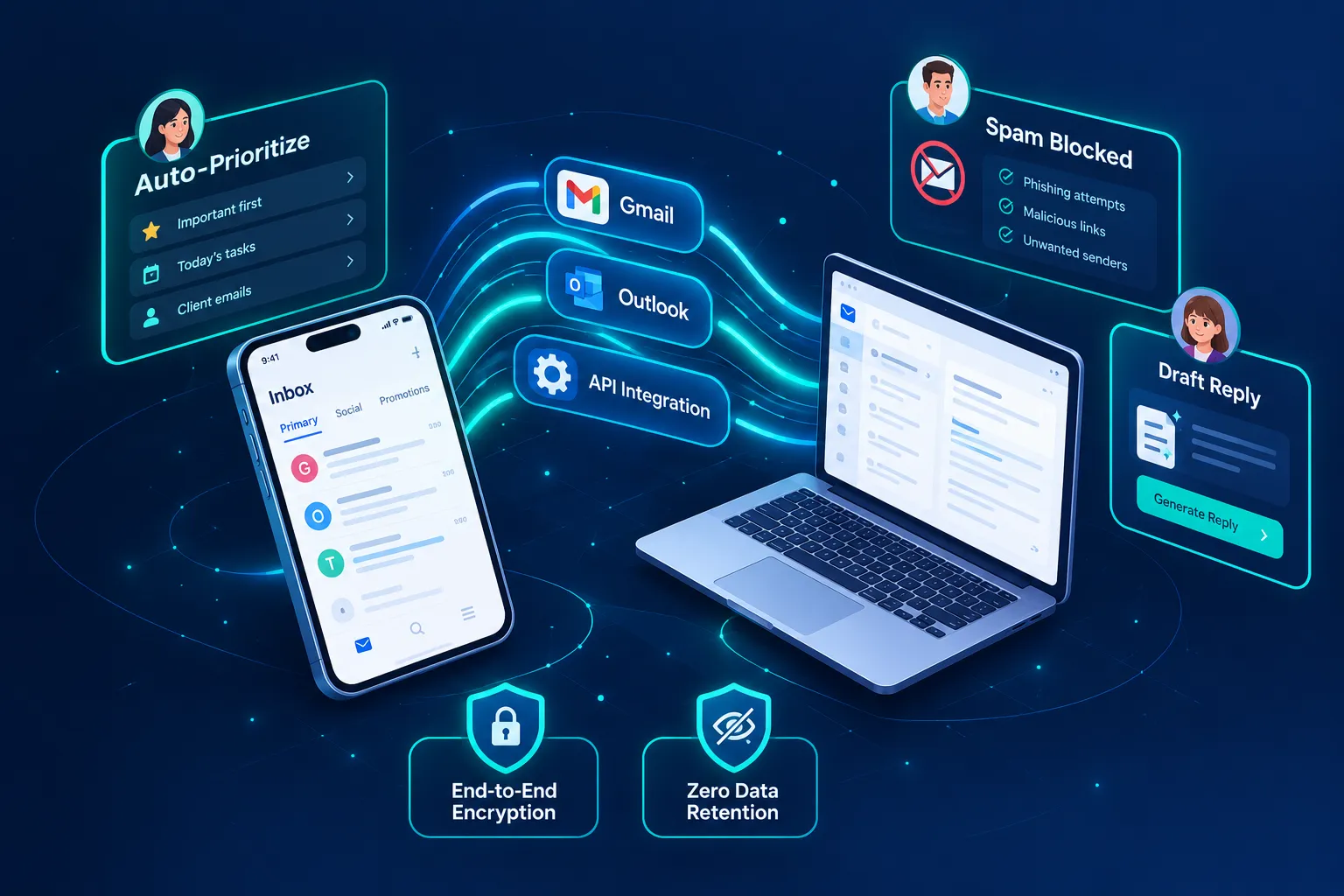
Security and privacy vary significantly across tools, and this is the most important due-diligence question before connecting any AI agent to your inbox.
The critical variables are: where your email data is stored, whether it is used to train shared models, and how long it is retained.
Ready to explore a vetted AI inbox management solution? Start Here.
Questions to ask before signing up:
- Does the tool store copies of your emails on its servers?
- Is your data used to train or fine-tune shared AI models?
- What is the data retention period, and can you request deletion?
- Is data encrypted in transit and at rest?
- Is the tool compliant with GDPR, CCPA, or other relevant regulations?
Native tools like Gmail’s Gemini features and Microsoft’s Copilot Agent Mode operate within their respective platform’s existing privacy frameworks, which are well-documented and enterprise-audited. Third-party tools require more scrutiny. Always read the privacy policy, not just the marketing page.
Who Needs an AI Email Management Agent
An AI agent for email management delivers the most value to people who spend more than one hour per day managing email, handle high volumes of inbound requests, or struggle with inbox-driven context switching that interrupts focused work.
Specific use cases where the ROI is clearest:
- Founders and executives who receive hundreds of emails daily and need intelligent triage without a dedicated assistant.
- Sales professionals who need follow-up tracking and reply drafts at scale.
- Customer support teams using shared inboxes where AI triage routes tickets to the right person automatically.
- Freelancers and consultants who manage client communication across multiple projects and need to separate urgent client requests from general inquiries.
If you receive fewer than 20 emails per day and already have a functional organizational system, the overhead of setting up and training an AI agent may outweigh the benefit. In that case, Gmail’s built-in smart features are likely sufficient.
Common Mistakes When Setting Up AI Inbox Agents
The most common mistake is treating setup as a one-time event. AI inbox agents improve through feedback, and users who configure the tool once and never revisit it often find the agent drifts from their actual preferences within a few weeks.
Other frequent mistakes:
- Granting too much autonomy too early. Start with the agent in “suggest” mode, where it recommends actions but does not execute them. Move to autonomous mode only after you trust its judgment.
- Not defining priority senders explicitly. Most agents accept a list of VIP senders whose emails always surface at the top. Skipping this step means important messages can get buried during the learning phase.
- Ignoring the digest or review feed. The agent’s action log is where you catch errors and provide corrective feedback. Checking it daily for the first two weeks is the single highest-leverage setup habit.
- Using the same rules for work and personal inboxes. If the tool manages both, configure separate behavior profiles. What counts as urgent at work is different from what matters in a personal inbox.
Can AI Agents Handle Spam and Unsubscribe Automatically
Yes, and this is one of the most immediately useful functions of an AI inbox agent. Modern agents can identify promotional emails, marketing lists, and spam with high accuracy, and many can trigger unsubscribe requests or block senders automatically without you opening the message.
Tools like Inbox Zero specifically highlight automated unsubscribe handling as a core feature. Superhuman’s AI layer also handles promotional triage as part of its inbox management workflow.
The practical result for most users is that within one to two weeks of setup, the volume of email requiring active attention drops noticeably.
One frequently cited pattern is a 30 to 40 percent reduction in actionable inbox items once spam and newsletter triage is fully automated, though individual results depend on your current inbox composition.
AI Inbox Agent Alternatives to Paid Services
If a paid dedicated tool is not the right fit, several free or low-cost alternatives provide meaningful AI inbox management capabilities.
- Gmail’s built-in Gemini features are the most accessible starting point. Priority inbox, smart replies, and the newer agentic features are included with standard Google accounts and Google Workspace subscriptions.
- Microsoft Copilot in Outlook is available to Microsoft 365 subscribers at no additional cost for basic features.
- Inbox Zero offers a free tier with AI-assisted unsubscribe and basic sorting for Gmail users.
- Open-source and API-based tools exist for developers who want to build custom agents using their own infrastructure, with full control over data handling.
The trade-off with free alternatives is depth of personalization. Paid tools like Superhuman invest heavily in learning your specific communication style and voice, which is difficult to replicate with generic platform features.
For most non-power users, however, the free native options in Gmail and Outlook cover the majority of practical inbox management needs.
Ready to explore a vetted AI inbox management solution? Start Here.
Frequently Asked Questions
What is an AI agent for inbox management?
An AI agent for inbox management is an autonomous software system that reads, classifies, prioritizes, and acts on emails without requiring manual commands for each action. It uses a language model to understand email content and context, then executes tasks like labeling, drafting replies, blocking spam, and sending follow-ups on your behalf.
How is an AI inbox agent different from a regular email filter?
Email filters match static conditions like sender address or subject keywords. An AI inbox agent interprets meaning, adapts to new patterns, and handles emails that do not fit predefined rules. It also performs actions filters cannot, such as drafting contextually appropriate replies.
Does an AI inbox agent work with Gmail and Outlook?
Yes. All major AI inbox management tools support Gmail and Outlook integration via OAuth. Native AI features are also built directly into both platforms: Google’s Gemini in Gmail and Microsoft’s Copilot Agent Mode in Outlook.
Is it safe to connect an AI agent to my email?
It depends on the tool. Native platform agents (Gmail Gemini, Outlook Copilot) operate within well-audited privacy frameworks. Third-party tools require you to review their data storage, retention, and training policies before connecting your inbox.
How much does an AI inbox management tool cost?
Costs range from free (native Gmail and Outlook features) to $25 to $40 per user per month for premium dedicated tools like Superhuman. Mid-tier team tools typically fall in the $10 to $20 per user per month range.
Can an AI agent draft email replies in my voice?
Yes. Tools like Superhuman learn your writing style from past emails and use that to generate draft replies that sound like you. The quality improves over time as the agent processes more of your sent mail.
How long does it take to set up an AI inbox agent?
Basic setup typically takes 15 to 30 minutes, including account authorization and initial configuration. The learning and calibration phase, where the agent adapts to your specific priorities, takes one to two weeks of active use and feedback.
Can AI inbox agents handle unsubscribe requests automatically?
Yes. Most modern AI inbox agents can identify marketing and newsletter emails and trigger unsubscribe requests or block senders without any input from you. This is one of the fastest ways to reduce inbox volume after setup.
What is the AI agent for email management category?
The AI agent for email management category refers to the broader set of tools that use AI to automate email workflows, including inbox triage, reply drafting, follow-up tracking, and spam management. It overlaps with AI inbox management but sometimes extends to outbound email automation and CRM integration.
Who benefits most from an AI email management agent?
Professionals who spend more than one hour per day on email, including executives, sales teams, consultants, and customer support staff, see the clearest return. Light email users may find native platform features sufficient without a dedicated tool.
Conclusion
The case for using an AI agent for inbox management in 2026 is straightforward: email volume is not decreasing, and the cost of manual triage compounds daily.
Whether you start with Gmail’s built-in Gemini features, explore a dedicated platform like Superhuman, or build a custom agent on open infrastructure, the core value is the same.
You reclaim time that was previously spent on low-judgment sorting tasks and redirect it toward work that actually requires your attention.
Actionable next steps:
- Audit your inbox for one week. Count how many emails you receive, how many require action, and how long triage takes. This baseline makes the ROI calculation concrete.
- Start with the native AI features in your existing email client. Gmail’s Gemini and Outlook’s Copilot are zero-cost starting points that require no new accounts.
- If native features feel limited after two weeks, evaluate a dedicated tool. Use the free trial period to test learned prioritization and draft quality before committing.
- Review the privacy policy of any third-party tool before connecting your inbox. Confirm data retention limits and opt out of model training if the option exists.
- Ready to explore a vetted AI inbox management solution? Start Here.
References
[1] superhuman – https://superhuman.com/go [2] Email Assistant – https://superhuman.com/agents/email-assistant [3] Gmail – https://superhuman.com/agents/email-assistant/gmail [4] superhuman – https://superhuman.com/ [5] Superhuman Review – https://similarlabs.com/blog/superhuman-review [7] Mail – https://superhuman.com/mail [8] Best Ai Email Assistants – https://get-alfred.ai/blog/best-ai-email-assistants [10] Best Ai Email Assistants – https://www.getinboxzero.com/blog/post/best-ai-email-assistants
Ready to explore a vetted AI inbox management solution? Start Here.


Pingback: Best Enterprise SEO Tools: Manage Content Performance - A1Publishing