Best SEO Audit Tools
Last updated: April 27, 2026
Quick Answer: The Best SEO Audit Tools in 2026 are Semrush, Ahrefs, Screaming Frog, Seobility, and Google Search Console.
The right choice depends on your budget, team size, and whether you need technical depth, backlink analysis, or AI search visibility monitoring.
Most teams benefit from combining two tools: a free baseline (Google Search Console) plus one paid platform matched to their goals.
Key Takeaways
- Google Search Console is the non-negotiable free baseline every website needs before adding any paid tool [3]
- Semrush leads for all-in-one auditing, covering 140+ technical checkpoints and now flagging AI Overview visibility [1]
- Ahrefs is the strongest pick for teams where backlink analysis and keyword research drive SEO strategy [3]
- Screaming Frog remains the specialist choice for deep technical work: crawl diagnostics, migrations, and redirect chains [3]
- Seobility delivers the best value for freelancers, solo consultants, and small agencies on tighter budgets [3]
- SEOptimer converts 100+ on-page factors into letter grades, making it ideal for non-technical users [5]
- Core Web Vitals monitoring is now a standard feature across all major audit platforms [1]
- AI search visibility has become a new audit category in 2026, with tools beginning to flag performance in LLM-powered results [1]
- Most teams should run audits monthly, not just at launch or when rankings drop
- Prioritize fixing crawl errors and Core Web Vitals before moving to content-level optimizations
What Is an SEO Audit Tool, and Why Does It Matter?
An SEO audit tool is software that scans your website and identifies technical, on-page, and off-page issues that prevent search engines from crawling, indexing, or ranking your pages effectively.
These tools save weeks of manual work by automating checks across hundreds of ranking factors simultaneously.
Without regular audits, problems accumulate silently. A site that ranked well in 2024 can lose 30–40% of organic traffic within months if crawl errors, page speed regressions, or broken internal links go undetected.
The Best SEO Audit Tools give you a prioritized action list, not just a raw error report.
Who needs an SEO audit tool:
- In-house SEO teams managing large or complex websites
- Digital marketing agencies running audits for clients
- Freelance consultants building deliverables and reports
- Small business owners who want to understand why their site isn’t ranking
- SaaS and e-commerce companies tracking site health as part of growth operations
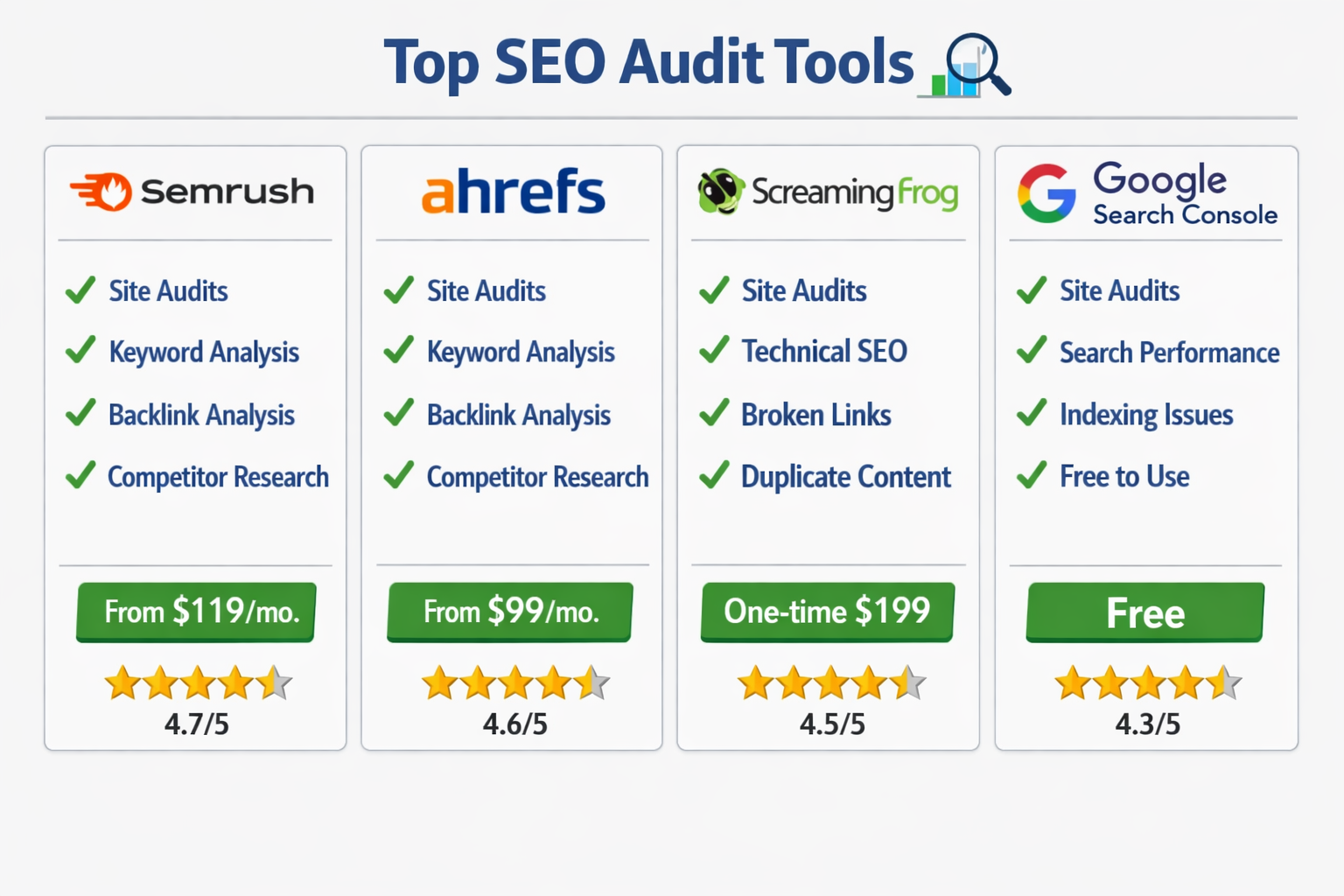
How Do the Best SEO Audit Tools Compare? (Tool-by-Tool Breakdown)
Each tool has a distinct strength. Choosing the wrong one means paying for features you don’t use while missing the ones you need.
Semrush — Best All-in-One Platform
Semrush’s Site Audit crawls websites across 140+ technical checkpoints, including Core Web Vitals, mobile-first indexing, HTTPS implementation, and hreflang errors [1].
In 2026, it added AI search visibility flags, showing how your pages perform in LLM-powered results and Google AI Overviews, a feature no other tool currently matches at this depth [1].
Best for: Marketing teams, agencies, and enterprises that want one platform covering audits, keyword research, competitor analysis, and rank tracking.
Pricing: Starts around $139.95/month (Pro plan). Free trial available.
Standout features:
- Site Audit with 140+ checks [1]
- AI Overview and LLM visibility monitoring [1]
- Competitor gap analysis built into the same dashboard
- Scheduled crawls with change tracking
Ahrefs — Best for Link-Led SEO Teams
Ahrefs’ Site Audit automatically checks for 170+ predefined technical and on-page SEO issues using fast cloud-based crawling [4].
Its real advantage is integration: audit findings sit alongside the industry’s most respected backlink index and keyword data, so you can connect technical fixes directly to ranking opportunities.
Ahrefs Webmaster Tools also provides free Site Audit access for verified site owners, a significant value for bootstrapped teams [4].
Best for: Teams where backlink strategy and competitive keyword research are central to SEO work [3].
Pricing: Starts around $129/month. Free access via Ahrefs Webmaster Tools for verified owners.
Screaming Frog SEO Spider — Best for Technical Depth
Screaming Frog remains the specialist tool of choice for technical SEO teams [3]. It excels at diagnosing crawl issues, site migrations, redirect chains, canonical tag errors, and hreflang configurations.
It also supports custom extraction using XPath and regex, which enterprise teams use to pull structured data at scale.
Best for: Technical SEO specialists, migration projects, and agencies that need granular crawl data [3].
Pricing: Free up to 500 URLs. Paid license is approximately £259/year (~$325 USD).
Seobility — Best Value for SMBs and Freelancers
Seobility combines website audit, rank monitoring, backlink monitoring, and client-ready reports at pricing significantly below enterprise platforms [3].
Its reports are readable by non-technical stakeholders, which makes it practical for freelancers presenting to small business clients.
Best for: Solo consultants, freelancers, and lean agencies that need a full-featured tool without the Semrush price tag [3].
Pricing: Free plan available. Paid plans start around $50/month.
Google Search Console — Non-Negotiable Free Baseline
Google Search Console is the only tool that shows you exactly what Google sees when it crawls your site [3].
It surfaces index coverage errors, manual actions, Core Web Vitals field data, and search performance by query and page.
Every team should implement this before spending money on any paid tool.
Best for: All websites, as a foundational layer under any paid audit stack [3].
Pricing: Free.
SEOptimer — Best for Non-Technical Users
SEOptimer converts 100+ on-page factors into letter grades (A+ to F) with specific improvement recommendations [5].
It scores across SEO, user experience, performance, social connectivity, and security, making it accessible to business owners who don’t have an SEO background.
Best for: Small business owners and non-technical marketers who need clear, actionable output without interpreting raw crawl data [5].
Pricing: Free audit available. Paid plans start around $19/month.
| Tool | Best For | Free Option | Starting Price |
|---|---|---|---|
| Semrush | All-in-one, AI visibility | Trial only | ~$139.95/mo |
| Ahrefs | Link-led teams | Webmaster Tools | ~$129/mo |
| Screaming Frog | Technical depth | Up to 500 URLs | ~$325/yr |
| Seobility | SMBs, freelancers | Yes | ~$50/mo |
| Google Search Console | All sites, baseline | Yes (free) | Free |
| SEOptimer | Non-technical users | Single audit | ~$19/mo |
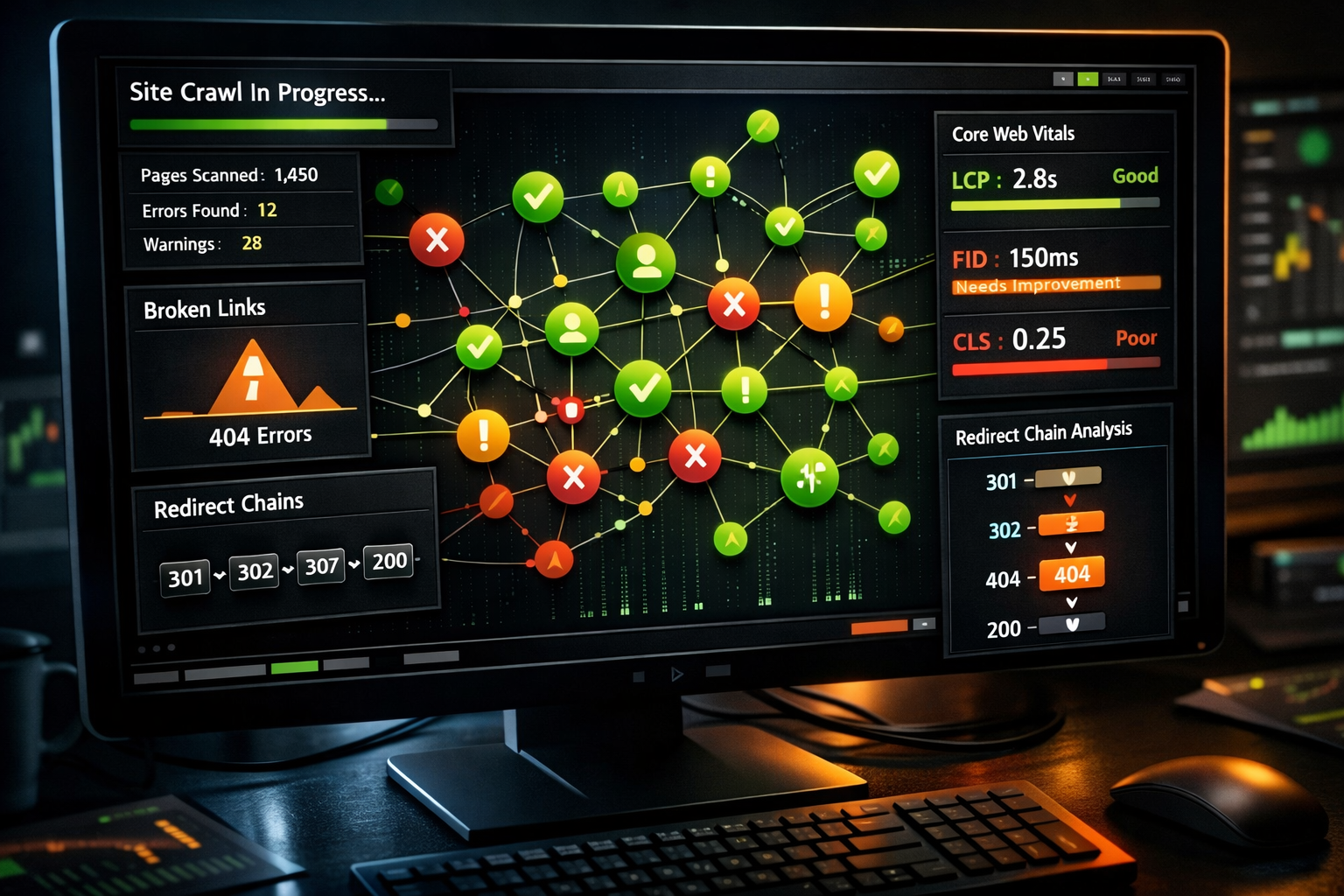
What Key Features Should You Look for in SEO Audit Tools?
The best SEO audit tools share a core set of capabilities. If a tool is missing more than two of these, it’s likely a niche product rather than a full audit solution.
Top 5 features of effective SEO audit tools:
- Technical crawl engine — Identifies broken links, redirect chains, duplicate content, missing meta tags, and canonicalization errors
- Core Web Vitals monitoring — Tracks LCP, INP, and CLS scores against Google’s thresholds, now standard across all major platforms [1]
- On-page SEO analysis — Evaluates title tags, header structure, image alt text, internal linking, and content depth
- Backlink and authority data — Shows referring domains, toxic links, and link growth trends
- Prioritized issue reporting — Ranks problems by severity and estimated impact, so you fix what matters first rather than chasing minor warnings
Emerging features to watch in 2026:
- AI search visibility flags — Semrush now shows how pages appear in AI Overviews and LLM-generated results [1]
- Predictive ranking analysis — Some platforms use historical crawl data to model ranking trajectory
- Integration with GA4 and CRM tools — Connecting audit data to revenue metrics for B2B SaaS teams [2]
How Do You Use an SEO Audit Tool Step by Step?
Running an audit is straightforward. Interpreting and acting on the results is where most teams stall.
Step-by-step SEO audit workflow:
- Set up Google Search Console first. Verify ownership and let it collect at least 30 days of data before drawing conclusions.
- Run a full crawl with your chosen tool. For most sites under 10,000 pages, Semrush or Ahrefs will complete this in under an hour.
- Filter by severity. Focus on “critical” and “errors” first. Warnings and notices can wait.
- Fix crawlability issues before anything else. Broken internal links, redirect loops, and blocked resources prevent Google from seeing your content at all.
- Address Core Web Vitals failures. Poor LCP or CLS scores directly affect rankings and user experience.
- Audit on-page elements. Check title tags, meta descriptions, H1 structure, and internal linking across your top-traffic pages.
- Review backlink health. Identify toxic or lost links that may be dragging down domain authority.
- Schedule recurring crawls. Monthly audits catch regressions before they compound. Weekly crawls are worth it for large e-commerce sites.
- Track fixes and re-crawl. Confirm that resolved issues don’t reappear after deployments or CMS updates.
Common mistake: Teams fix 200 minor warnings while ignoring three critical crawl errors. Always sort by severity, not by volume.
What Are the Most Common SEO Issues Detected by Audit Tools?
Audit tools consistently surface the same categories of problems across most websites. Knowing what to expect helps you prepare for the fix, not just the finding.
Most frequently detected issues:
- Broken internal and external links (4xx errors) — Damage crawl efficiency and user experience
- Missing or duplicate title tags and meta descriptions — Reduce click-through rates from search results
- Slow page load times — Particularly LCP failures above 2.5 seconds, which correlate with ranking drops
- Missing image alt text — Hurts both accessibility and image search visibility
- Thin or duplicate content — Pages with under 300 words or near-identical content across URLs
- Redirect chains and loops — Waste crawl budget and slow page delivery
- Missing HTTPS or mixed content warnings — Security signals Google uses as a baseline ranking factor
- Hreflang errors — Critical for multilingual sites; wrong implementation causes international targeting failures [3]
- Orphaned pages — Pages with no internal links pointing to them, making them invisible to crawlers
How Are AI and Machine Learning Changing SEO Auditing in 2026?
AI has shifted SEO auditing from reactive to predictive. The most significant change is the emergence of AI search visibility as a distinct audit category.
In 2026, Semrush leads this shift by flagging how pages perform in LLM-powered results and Google AI Overviews [1]. This matters because a page can rank on page one of traditional search results while being completely absent from AI-generated answers, two different visibility problems requiring different fixes.
What AI-powered auditing now includes:
- Generative engine optimization (GEO) checks — Evaluating whether content is structured to be cited by AI answer engines
- Search intent alignment scoring — Matching page content against the dominant intent behind target queries
- Predictive crawl prioritization — Tools that identify which fixes will have the highest ranking impact based on historical data patterns
- Automated anomaly detection — Flagging sudden drops in crawl coverage or indexation before they show up in rank tracking
For B2B SaaS teams, this is particularly relevant. Audit tools that connect technical site health to pipeline metrics, demo bookings, trial conversions, are becoming part of the standard growth stack [2].
“AI search visibility is no longer a future consideration, it’s an active audit category that teams need to monitor alongside traditional SERP rankings.” reflected in Semrush’s 2026 platform updates [1]

Which SEO Audit Tool Is Right for Your Business Size?
Choose based on your situation:
- Solo consultant or freelancer → Start with Seobility. It covers audits, rank tracking, and backlink monitoring at a price that makes sense for one-person operations [3].
- Small business owner (non-technical) → SEOptimer’s letter-grade system gives you clear priorities without requiring SEO expertise [5].
- Growing marketing team → Semrush gives you one platform for audits, keyword research, competitor tracking, and now AI visibility — reducing tool sprawl [1].
- Technical SEO specialist or agency → Screaming Frog for deep technical work, combined with Ahrefs or Semrush for broader analysis [3].
- Enterprise or large e-commerce → Semrush or Lumar (DeepCrawl) for scale, with Screaming Frog added for migration and custom extraction projects [2].
- Any website, any size → Google Search Console is always free and always necessary [3].
Stack recommendation for most teams: Google Search Console (free) + Seobility or Semrush (paid) covers 90% of audit needs. Add Screaming Frog only when you’re doing technical migrations or need custom data extraction.
Conclusion: Building a Long-Term SEO Audit Practice
The Best SEO Audit Tools don’t just find problems, they give you a repeatable system for keeping your site healthy as it grows and as search evolves.
Start with Google Search Console. Add one paid tool matched to your team’s primary need: Semrush for breadth, Ahrefs for link-led strategy, Screaming Frog for technical depth, or Seobility for value.
Run audits on a schedule, not just when rankings drop.
In 2026, the teams pulling ahead are the ones treating SEO audits as ongoing operations, not one-time projects.
They’re also the ones paying attention to AI search visibility, because ranking in traditional results and appearing in AI-generated answers are now two separate goals that require two separate checks [1].
Your next steps:
- Verify your site in Google Search Console today if you haven’t already
- Run a free audit with Seobility or SEOptimer to get a baseline health score
- Prioritize critical crawl errors before any content or link-building work
- Schedule a monthly audit cadence and assign ownership to a specific team member
- Start monitoring AI Overview visibility if organic search is a primary acquisition channel
Ready to see where your site stands? Start your free SEO audit with BlogSEO and get actionable insights in minutes.
Frequently Asked Questions
What is the best free SEO audit tool?
Google Search Console is the best free SEO audit tool for any website. It shows index coverage, Core Web Vitals field data, manual actions, and search performance directly from Google. Ahrefs Webmaster Tools also offers free Site Audit access for verified site owners [4].
How often should I run an SEO audit?
Run a full audit monthly for most websites. Large e-commerce sites or those with frequent content updates benefit from weekly crawls. Always run an audit before and after major site migrations or CMS changes.
Can I use more than one SEO audit tool?
Yes, and most professional teams do. A common combination is Google Search Console as the free baseline, Semrush or Ahrefs for broad analysis, and Screaming Frog for deep technical work [3].
What’s the difference between Semrush and Ahrefs for auditing?
Semrush covers more checkpoints (140+) and now includes AI search visibility monitoring. Ahrefs checks 170+ issues and integrates more tightly with its backlink index. Semrush is better for all-in-one teams; Ahrefs suits link-focused strategies [1][3].
Best SEO Audit Tools: FAQs
Is Screaming Frog worth the cost for small businesses?
Probably not as a primary tool. Screaming Frog’s free version handles up to 500 URLs, which covers many small sites. The paid license makes sense for agencies and technical specialists, not for most small business owners [3].
What does an SEO audit tool actually check?
Most tools check broken links, page speed, Core Web Vitals, title tags, meta descriptions, duplicate content, redirect chains, canonical tags, image alt text, internal linking structure, and backlink health. Advanced tools also check hreflang, structured data, and now AI search visibility [1][5].
How long does an SEO audit take?
The crawl itself takes minutes to a few hours depending on site size. Reviewing findings and building a prioritized action plan typically takes two to four hours for a mid-sized site. Implementation time varies widely based on the issues found.
What is AI search visibility in SEO auditing?
AI search visibility refers to how well your pages appear in AI-generated search results, such as Google AI Overviews and LLM-powered answer engines. Semrush introduced this as an audit category in 2026, recognizing that traditional SERP rankings don’t capture AI result presence [1].
What is the best SEO audit tool for agencies?
Semrush is the most common agency choice for its white-label reporting and breadth of features. Screaming Frog is frequently added for technical client work. Seobility is a cost-effective option for smaller agencies with lean budgets [3].
Do SEO audit tools help with content optimization?
Yes. Most tools flag thin content, duplicate pages, missing headers, and keyword gaps. Semrush and Ahrefs also include content gap analysis to identify topics competitors rank for that your site doesn’t cover.
References
[1] Best Seo Audit Monitoring Tools 2026 – https://www.patsmarketing.ca/blog/best-seo-audit-monitoring-tools-2026/
[2] Best Site Audit Tools – https://www.therankmasters.com/insights/seo-tools/best-site-audit-tools
[3] Best Seo Audit Tools In 2026 – https://www.backlink-tool.org/en/best-seo-audit-tools-in-2026/
[4] Technical Seo Audit Tools – https://raven-seo.com/technical-seo-audit-tools/
[5] Best Seo Tools 2026 Complete Analysis – https://almcorp.com/blog/best-seo-tools-2026-complete-analysis/
[6] Best Website Audit Tools – https://topofthelist.net/blog/best-website-audit-tools

Pingback: BabyLoveGrowth AI Review: What It Does Who It Suits Best - A1Publishing
Pingback: SEO Tools: Best For Website Growth 2026 - A1Publishing
Pingback: How to Evaluate SEO Tools: Guide for Teams and Agencies - A1Publishing
Pingback: Best SEO Tools For Small Business: Choose the Right Tools - A1Publishing
Pingback: SEO Tools Reviews and Comparisons: Best Picks for 2026 Tool Stacks - A1Publishing