SEO Starter Guide
Last updated: April 04, 2026
Search Engine Optimization (SEO) is the practice of improving your website’s visibility in search engine results to attract more organic traffic.
This SEO Starter Guide covers the essential fundamentals every beginner needs to understand, from keyword research and content optimization to technical setup and link building strategies that work in 2026.
Key Takeaways
• Start with keyword research to understand what your audience searches for
• Focus on creating high-quality, helpful content that answers user questions
• Optimize your website’s technical foundation including page speed and mobile responsiveness
• Build authority through quality backlinks from reputable websites in your industry
• Track your progress using free tools like Google Search Console and Google Analytics
• SEO takes 3-6 months to show significant results, so patience and consistency are crucial
• Local SEO matters if you serve customers in specific geographic areas
• User experience signals like Core Web Vitals directly impact search rankings
Check Out –> BlogSeo.io <– Has a Free Trial
What Is SEO and Why Does It Matter?
SEO helps search engines like Google understand and rank your website content so the right people can find you when they search for relevant topics. Without SEO, even the best websites can remain invisible to potential customers.
Search engines process over 8.5 billion searches daily, making organic search the largest source of website traffic for most businesses. Unlike paid advertising, SEO provides long-term value because well-optimized content can attract visitors for months or years after publication.
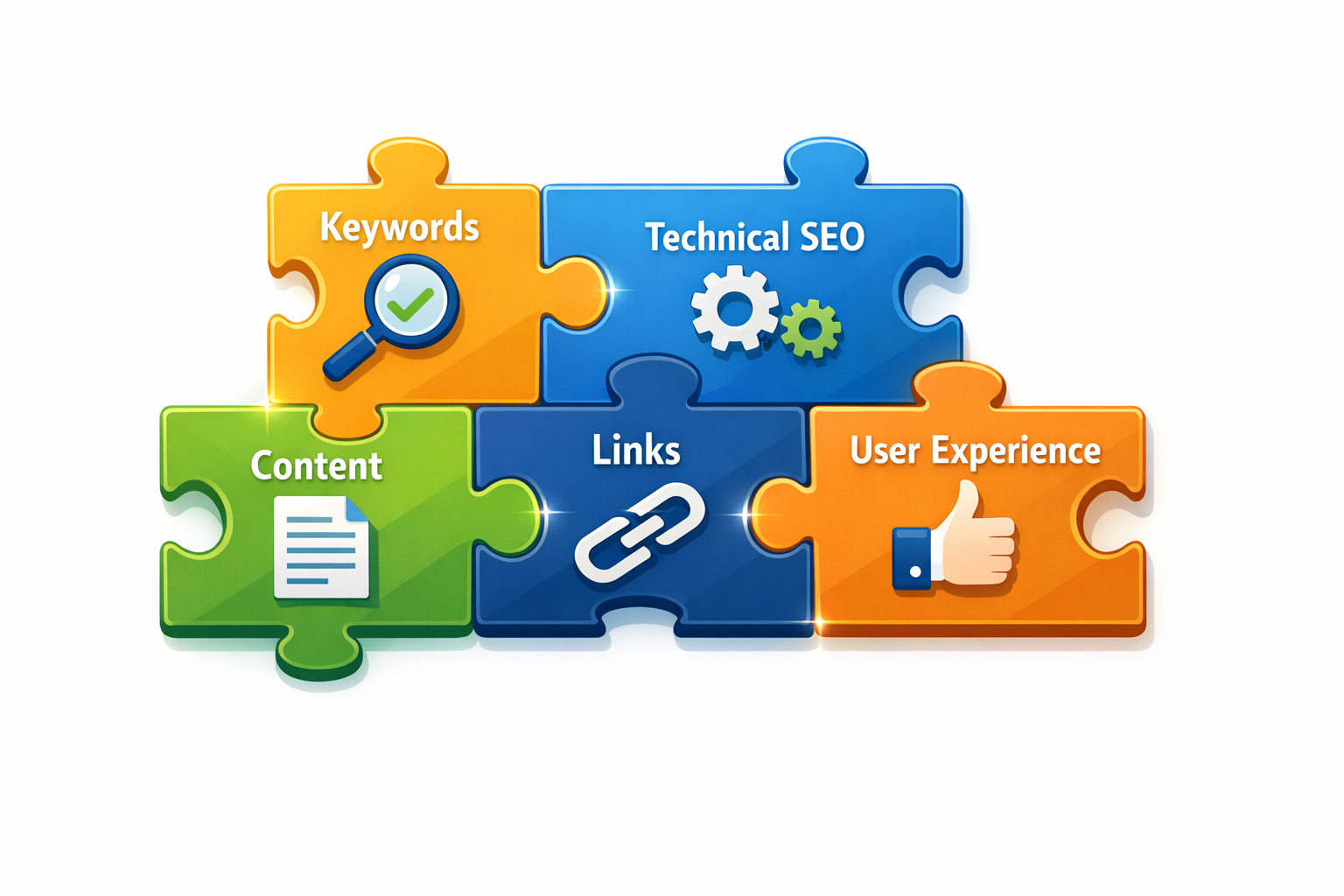
The core components of SEO include:
- On-page optimization: Content, keywords, and HTML elements
- Technical SEO: Site speed, mobile-friendliness, and crawlability
- Off-page SEO: Backlinks and external authority signals
- User experience: Page loading speed, navigation, and engagement metrics
How Do I Start Keyword Research for My SEO Strategy?
Keyword research identifies the specific terms and phrases your target audience uses when searching for information, products, or services related to your business.
Start by brainstorming topics relevant to your industry, then use tools to discover related keywords and search volumes.
Free keyword research tools to begin with:
- Google Keyword Planner: Shows search volumes and competition levels
- Google Search Console: Reveals which keywords already drive traffic to your site
- Answer the Public: Generates question-based keywords
- Google autocomplete: Type your main topic and note suggested completions
Choose keywords based on these criteria:
- Search volume between 100-10,000 monthly searches for beginners
- Low to medium competition (avoid highly competitive terms initially)
- Clear search intent that matches your content goals
- Relevance to your business or expertise area
Common mistake: Targeting only high-volume, competitive keywords. Start with longer, more specific phrases (long-tail keywords) like “best running shoes for flat feet” instead of just “running shoes.”
Check Out –> BlogSeo.io <– Has a Free Trial
What Makes Content SEO-Friendly?
SEO-friendly content answers user questions comprehensively while being easy for search engines to understand and index. Focus on creating helpful, well-structured content that provides genuine value to your readers.
Essential content optimization elements:
- Title tags: Include your target keyword and keep under 60 characters
- Meta descriptions: Write compelling summaries under 160 characters
- Header structure: Use H1 for main titles, H2 for major sections, H3 for subsections
- Keyword placement: Include target keywords naturally in titles, headers, and body text
- Internal linking: Connect related pages on your website
- Content length: Aim for 1,000+ words for competitive topics
Content that ranks well typically:
- Covers topics thoroughly and answers related questions
- Uses clear, scannable formatting with bullet points and short paragraphs
- Includes relevant images with descriptive alt text
- Loads quickly on mobile devices
- Provides unique insights or perspectives
Choose longer-form content if you’re competing for informational keywords, but prioritize quality and usefulness over word count alone.
How Do I Fix Technical SEO Issues?
Technical SEO ensures search engines can properly crawl, index, and understand your website. Start with these fundamental technical elements that directly impact your search rankings.
Priority technical fixes:
- Page speed optimization: Compress images, minimize code, use fast hosting
- Mobile responsiveness: Ensure your site works perfectly on smartphones
- SSL certificate: Secure your site with HTTPS encryption
- XML sitemap: Create and submit a sitemap to Google Search Console
- Robots.txt file: Guide search engine crawlers properly
- Fix broken links: Remove or redirect 404 error pages
Use these free tools to identify issues:
- Google PageSpeed Insights: Measures loading speed and Core Web Vitals
- Google Search Console: Shows crawl errors and indexing problems
- Google Mobile-Friendly Test: Confirms mobile optimization
- Screaming Frog SEO Spider: Crawls your site to find technical issues (free version covers 500 pages)
Address Core Web Vitals metrics (Largest Contentful Paint, First Input Delay, and Cumulative Layout Shift) as these directly influence rankings. Sites that load in under 3 seconds typically see better search performance.
What Link Building Strategies Work for Beginners?
Link building involves earning backlinks from other websites to demonstrate authority and trustworthiness to search engines.
Focus on quality over quantity, as a few high-authority links outperform many low-quality ones.
Beginner-friendly link building tactics:
- Guest posting: Write valuable content for relevant industry blogs
- Resource page outreach: Request inclusion on helpful resource lists
- Broken link building: Find broken links and suggest your content as replacement
- Local partnerships: Collaborate with local businesses for mutual linking
- Content promotion: Share your best content on social media and industry forums
What makes a quality backlink:
- Comes from a reputable, relevant website
- Uses natural anchor text (not keyword-stuffed)
- Appears in the main content area, not sidebar or footer
- Provides value to the linking site’s audience
Avoid these link building mistakes: Buying links, participating in link schemes, or using automated link building tools. Google penalizes these practices and they can harm your rankings.
Start by creating genuinely helpful content that others naturally want to reference, then reach out to relevant websites in your industry.
How Do I Track My SEO Progress?
Monitoring SEO performance helps you understand what’s working and identify areas for improvement. Set up tracking tools early and focus on metrics that align with your business goals.
Essential SEO tracking tools:
- Google Search Console: Free tool showing search performance, indexing status, and technical issues
- Google Analytics 4: Tracks website traffic, user behavior, and conversion data
- Rank tracking tools: Monitor keyword position changes (Ahrefs, SEMrush, or free alternatives like SERPWatcher)
Key metrics to monitor monthly:
- Organic traffic growth
- Keyword ranking improvements
- Click-through rates from search results
- Pages indexed by Google
- Core Web Vitals scores
- Backlink acquisition
SEO timeline expectations:
- Weeks 1-4: Technical fixes and initial optimizations
- Months 2-3: Content publication and early indexing
- Months 4-6: Ranking improvements and traffic growth
- Months 6+: Sustained growth and authority building
Track rankings for 10-20 target keywords rather than hundreds. Focus on keywords that drive qualified traffic to your business, not just high search volumes.
Check Out –> BlogSeo.io <– Has a Free Trial
SEO Progress Tracker
Track your website’s SEO improvements over time
Your SEO Progress Report
Overall Progress—
Recommendations:
FAQ
How long does SEO take to work?
SEO typically takes 3-6 months to show significant results for new websites. Established sites with good authority may see improvements in 1-3 months. Results depend on competition level, content quality, and technical optimization.
Can I do SEO myself or do I need an agency?
You can absolutely learn and implement basic SEO yourself using this starter guide and free tools. Consider hiring professionals for complex technical issues or if you lack time to learn SEO fundamentals.
What’s the difference between SEO and paid advertising?
SEO focuses on earning organic (free) search rankings through optimization, while paid advertising involves paying for immediate visibility. SEO provides long-term value but takes time, while ads deliver instant results but stop when you stop paying.
How much should I spend on SEO tools?
Start with free tools like Google Search Console and Google Analytics. Invest in paid tools ($100-300/month) only after mastering the basics and seeing initial results from your SEO efforts.
Is keyword density still important in 2026?
Keyword density matters less than natural, helpful content. Focus on using keywords naturally throughout your content rather than hitting specific density percentages. Google prioritizes user experience over keyword stuffing.
SEO Starter Guide: FAQs
Should I focus on local SEO?
Yes, if you serve customers in specific geographic areas. Local SEO helps you appear in “near me” searches and Google Maps results. Claim your Google Business Profile and encourage customer reviews.
How many keywords should I target per page?
Target one primary keyword and 2-3 related secondary keywords per page. This allows you to create focused, comprehensive content without diluting your message across too many topics.
What’s the biggest SEO mistake beginners make?
Trying to rank for highly competitive keywords immediately instead of building authority with easier, long-tail keywords first. Start with less competitive terms and gradually work toward more difficult targets.
Do I need to update old content for SEO?
Yes, updating and improving existing content often provides better ROI than creating new content. Refresh outdated information, add new sections, and optimize for current search trends.
How important are meta descriptions for SEO?
Meta descriptions don’t directly impact rankings but significantly affect click-through rates from search results. Write compelling descriptions that encourage users to click on your listing over competitors.
Should I worry about my competitors’ SEO strategies?
Monitor competitors for inspiration and gap identification, but focus primarily on serving your audience better. Create unique value rather than copying competitor tactics exactly.
Can social media help my SEO?
Social media doesn’t directly impact search rankings but can increase content visibility, drive traffic, and potentially earn backlinks. Use social platforms to promote your best content and engage with your audience.
Conclusion
This SEO Starter Guide provides the foundation you need to begin optimizing your website for search engines in 2026.
Start with keyword research to understand your audience, create high-quality content that answers their questions, fix basic technical issues, and gradually build authority through quality backlinks.
Remember that SEO is a long-term strategy requiring patience and consistency. Focus on providing genuine value to your users rather than trying to manipulate search rankings. Use the free tools mentioned in this guide to track your progress and make data-driven improvements.
Your next steps:
- Set up Google Search Console and Google Analytics
- Conduct keyword research for your top 5 business topics
- Audit your website’s technical SEO using the tools provided
- Create a content calendar targeting your researched keywords
- Begin reaching out for quality backlink opportunities
Success in SEO comes from understanding your audience, creating helpful content, and maintaining technical excellence. Start with these fundamentals and gradually expand your knowledge as you see results from your initial efforts.
Check Out –> BlogSeo.io <– Has a Free Trial