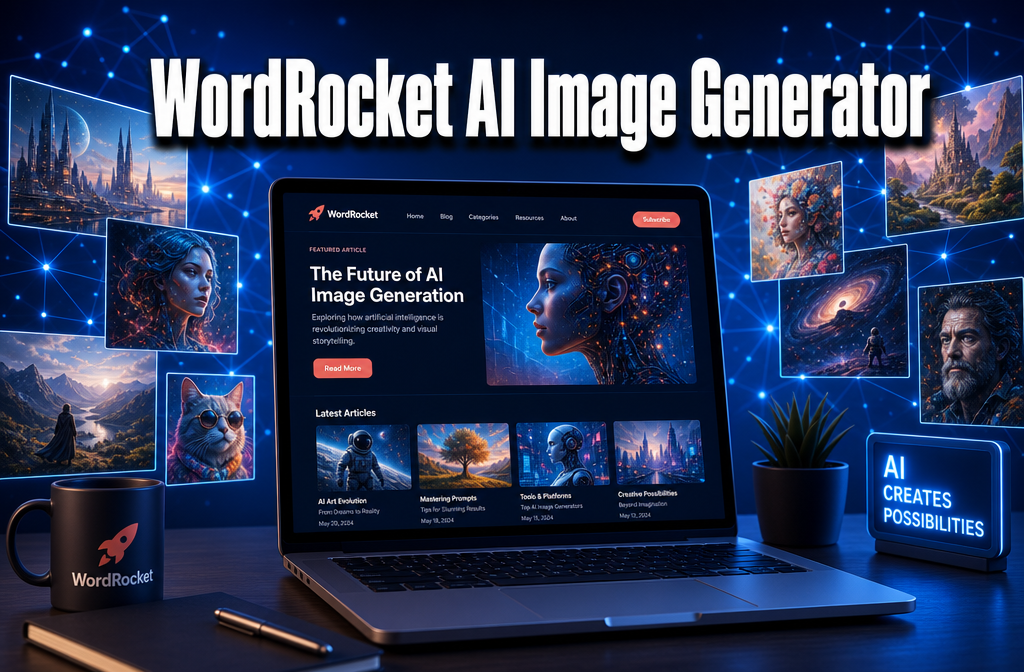
WordRocket AI Image Generator
Last updated: May 26, 2026
Quick Answer: The WordRocket AI Image Generator is a built-in visual content tool inside the WordRocket platform that automatically creates blog cover images and in-content graphics based on your article’s topic.
It runs on a credit system (1 credit per image), integrates directly into the article creation workflow, and is best suited for content marketers and bloggers who want AI-generated visuals without switching between tools. It is not a standalone image editor like Midjourney or Adobe Firefly.
Key Takeaways
- WordRocket’s AI Image Generator creates two types of visuals: cover images and in-content images, both tied to your article’s subject matter
- Each image costs 1 credit, deducted only after successful generation
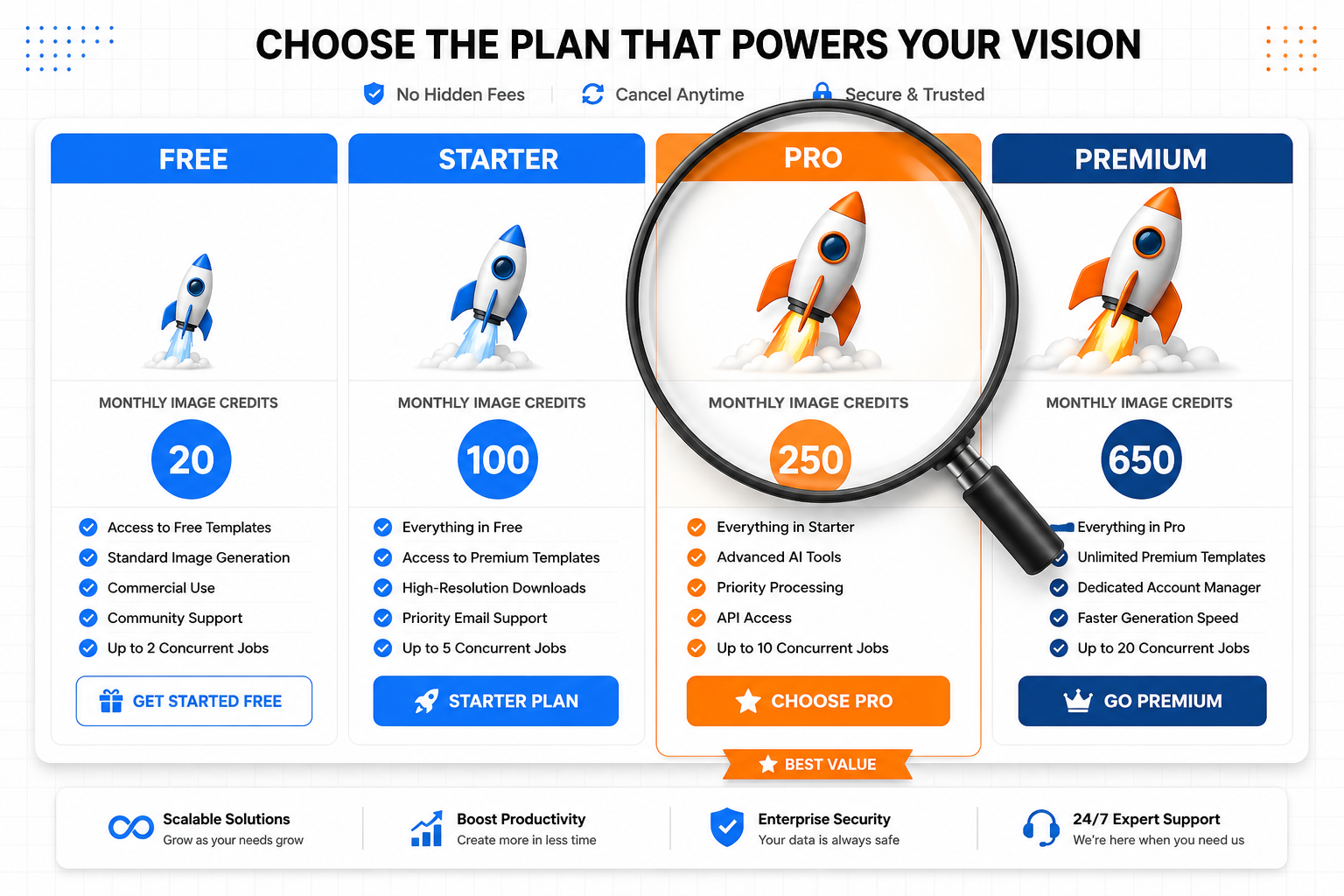
- Credit allocations vary by plan: Free (10 one-time), Starter (100/month), Pro (250/month), Premium (650/month)
- You can generate between 1 and 5 images per article during the creation process
- WordRocket is primarily a content marketing AI platform, not a dedicated image generation tool, the image feature supports blog writing, not standalone art creation
- It works on any modern browser (Mac or Windows), with no desktop app required
- Images are suitable for blog headers, social media sharing, and in-article illustration, not for high-end print or pixel-perfect design work
- Commercial use is supported within the platform’s terms, but users should review those terms before using images in paid client work
- You can monitor and top up your credit balance directly from the WordRocket dashboard
- The tool is best for marketers, bloggers, and SEO content teams who want a streamlined, all-in-one writing and visual workflow
👉 Try WordRocket AI free today and see how the image generator fits your content workflow.
What Exactly Is WordRocket AI and How Does It Work?
WordRocket is an AI-powered content creation platform designed to help marketers, bloggers, and SEO teams write and publish high-ranking articles faster.
The AI Image Generator is one of its advanced features, creating unique visuals automatically based on the content of each article you produce.
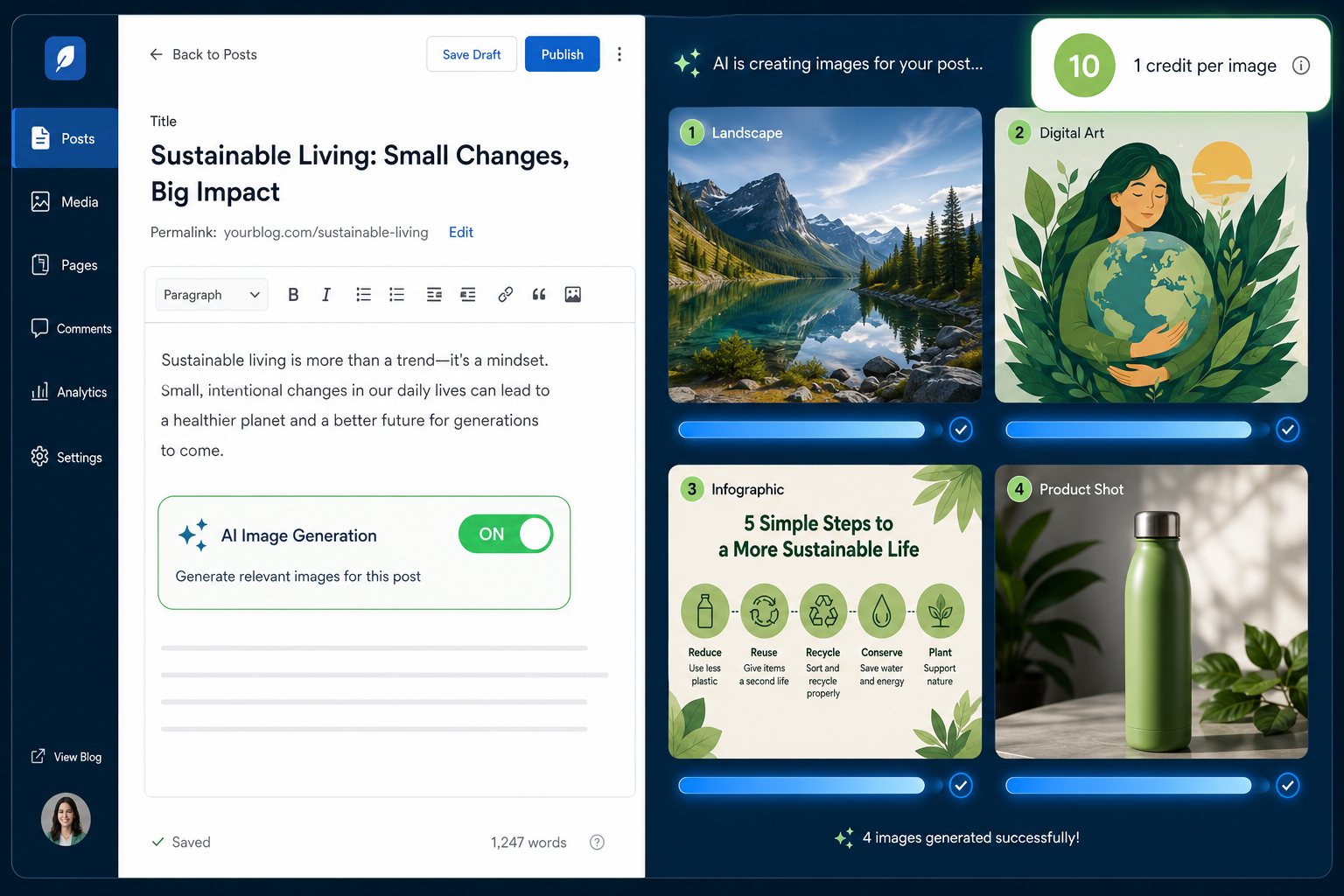
Here’s how the image generation process works in practice:
- Start or continue an article inside the WordRocket editor
- Toggle on image generation, you’ll see separate options for cover images and in-content images
- Select how many images you want (1 to 5 per article)
- WordRocket generates the visuals using its AI model, drawing context from your article’s topic, keywords, and structure
- Credits are deducted only after each image successfully generates, so a failed attempt won’t cost you.
The platform handles both the writing and the visuals inside one workflow, which is the core value proposition. You don’t need to export your article to Canva or Midjourney to get usable images — they’re created in context, matched to your content.
Who it’s for: Content teams publishing multiple blog posts per week who need visuals without a dedicated design resource. Who it’s not for: Graphic designers or artists who need granular control over style, composition, or resolution.
How Much Does WordRocket AI Cost Compared to Midjourney?
WordRocket uses a subscription model with image credits bundled into each plan tier. Midjourney, by comparison, is a standalone image generation tool with its own separate subscription.
They serve different primary purposes, so a direct cost comparison depends on what you actually need.
WordRocket Image Credit Allocations by Plan:
| Plan | Monthly Credits | Cost Model |
|---|---|---|
| Free | 10 (one-time) | No monthly charge |
| Starter | 100/month | Monthly subscription |
| Pro | 250/month | Monthly subscription |
| Premium | 650/month | Monthly subscription |
Midjourney (for reference) starts at approximately $10/month for ~200 image generations on its Basic plan, scaling up to $60/month for unlimited relaxed generations, but it does not include any writing, SEO, or content tools.
The key difference: WordRocket’s image credits come packaged with a full AI writing and SEO platform. If you’re already paying for an AI content tool, the images are effectively included. If you only need images, Midjourney or Adobe Firefly will give you more stylistic control per dollar.
Choose WordRocket if you need images as part of a broader content workflow. Choose Midjourney if image quality and artistic control are your primary goal.
Additional credits can be purchased on top of your plan if you exceed your monthly allocation.
👉 Try WordRocket AI free today and see how the image generator fits your content workflow.
Can WordRocket Generate Realistic Photos or Just Digital Art?
WordRocket’s AI Image Generator Yes. And also produces contextually relevant visuals for blog content.
The tool is designed to create:
- Blog cover images that work as featured images or social media thumbnails
- In-content graphics that illustrate key points within an article
It is optimized for generating photorealistic images of specific people, branded product shots, or highly detailed scenes requiring precise realism.
Common mistake: Expecting WordRocket’s image tool to replace a stock photo subscription entirely. It works best as a complement, use it for concept visuals and custom covers, use stock photos when realism is critical.
What Kind of Image Styles Can WordRocket Actually Create?
WordRocket generates images that are contextually matched to your article’s topic and keywords. The style output is generally:
- Editorial and illustrative, suited for blog headers and feature images
- Conceptual, abstract or metaphorical visuals that represent topics like “SEO strategy” or “content marketing“
- Informational, graphics that can accompany how-to or explainer content
The platform does not currently offer a manual style selector (like “watercolor,” “photorealistic,” or “3D render”) in the way that Midjourney or DALL-E 3 do. The AI infers style from context. This is a trade-off: you get speed and relevance, but less creative control.
Edge case: If your article covers a highly niche or technical topic, the generated images may be more generic. Adding specific, descriptive language in your article title and introduction can improve image relevance.
Is WordRocket Good for Professional Designers or Just Hobbyists?
WordRocket’s image feature is built for content marketers, SEO writers, and bloggers, not professional designers. This is not a criticism; it’s a design choice that makes the tool faster and simpler for its target audience.
Good fit for:
- Marketing teams publishing 10+ blog posts per month
- Solo bloggers who need decent visuals without design skills
- SEO agencies managing content at scale
- Content managers who want images generated in the same step as writing
Not a good fit for:
- Graphic designers who need layer control, custom fonts, or vector output
- Brand teams with strict visual identity guidelines
- Photographers or illustrators looking for AI-assisted art tools
- Anyone needing print-resolution output (300 DPI+)
If you’re a professional designer, you’ll likely find the output too constrained. But if you’re a content marketer who currently spends 20 minutes sourcing a blog header image, WordRocket’s generator can cut that to zero extra steps.
What Image Sizes and Resolutions Can WordRocket Output?
WordRocket generates images at resolutions suitable for web publishing, blog headers, featured images, and in-article graphics. The output is optimized for digital display rather than print.
For most blog platforms (WordPress, Webhook, Ghost), the generated images are sized appropriately for:
- Featured/cover image slots
- In-content image blocks
- Social media sharing previews (Open Graph images)
Important note: If you need images for print materials, large-format displays, or high-DPI retina screens at large sizes, you should upscale the output using a dedicated tool (like Topaz Gigapixel or Adobe’s Super Resolution) or use a platform built for high-resolution output.
What Are the Most Common Mistakes People Make When Using WordRocket?
Most issues with WordRocket’s image generator come down to three avoidable errors:
1. Generating images before the article content is developed
The AI uses your article’s context to create relevant images. If you trigger image generation with a bare-bones draft, you’ll get generic output. Write at least a solid outline or first draft first.
2. Not tracking credit usage
Credits deplete faster than users expect, especially on the Starter plan (100/month). Monitor your balance in the dashboard, billing settings, or images page. Running out mid-project is a common frustration.
3. Using the images without reviewing them
AI-generated images occasionally produce odd artifacts, mismatched concepts, or visuals that don’t match the article’s tone. Always review before publishing. A 10-second check saves you from publishing something off-brand.
Bonus mistake: Assuming the Free plan’s 20 credits are monthly, they’re one-time only. Plan accordingly before committing to a workflow.
How Do I Fix Blurry or Low-Quality Images from WordRocket?
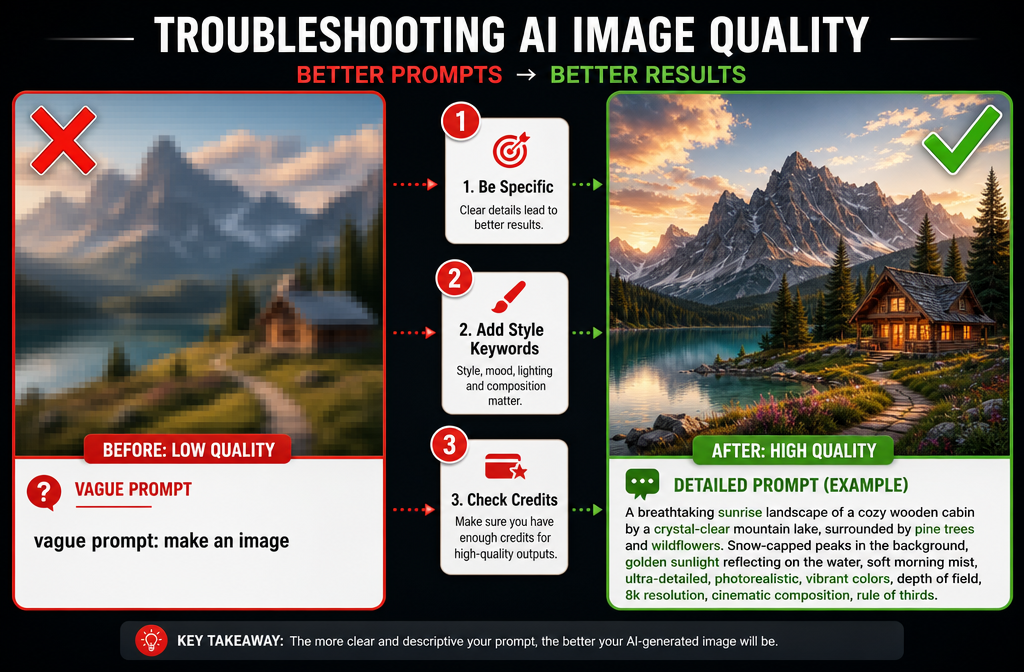
Blurry or low-quality output from WordRocket’s AI Image Generator is usually caused by one of two things: insufficient article context for the AI to work with, or the inherent resolution ceiling of web-optimized output.
Steps to improve image quality:
- Enrich your article content first, more specific, detailed writing gives the AI better context to generate relevant, sharper visuals
- Regenerate the image, credits are only deducted on success, so if an image looks wrong, you can try again
- Use an upscaling tool post-generation if you need higher resolution for specific use cases
- Check your browser and connection, slow connections can sometimes cause display issues that aren’t actually quality problems in the source file
If quality issues persist across multiple generations, it may reflect the current capability ceiling of the tool for your specific content type. In that case, supplementing with stock photos for critical visuals is a practical workaround.
👉 Try WordRocket AI free today and see how the image generator fits your content workflow.
Does WordRocket Work Better on Mac or Windows?
WordRocket is a browser-based SaaS platform, so it works equally well on Mac and Windows. There is no native desktop application, which means performance is tied to your browser (Chrome and Firefox are recommended) and internet connection speed rather than your operating system.
No meaningful performance difference exists between Mac and Windows users. The image generation process happens on WordRocket’s servers, not your local machine, so your computer’s specs have minimal impact on generation speed or quality.
How Fast Can WordRocket Generate an Image?
Image generation in WordRocket typically completes within 15 to 45 seconds per image, depending on server load and the complexity of the content context. Generating 5 images for a single article might take 1 to 3 minutes total.
This is comparable to most browser-based AI image tools. It’s faster than manually sourcing and editing stock photos for most users, which is the practical benchmark that matters for content workflows.
Peak hours (typically US business hours) may result in slightly longer generation times due to server demand. If speed is critical, generating images during off-peak hours can help.
Are There Any Free Alternatives to WordRocket AI?
Yes, several free or freemium tools generate AI images, but none combine image generation with a full AI content writing workflow the way WordRocket does.
Free/freemium image generation alternatives:
- Microsoft Designer / Bing Image Creator, free, powered by DALL-E, good for general use
- Adobe Firefly (free tier), strong for commercial-safe images
- Canva AI (free tier), integrated with design tools
- Leonardo.ai (free tier), good stylistic variety
The trade-off: These tools require you to leave AI Writer environment, manually craft prompts, download images, and re-upload them to your CMS. WordRocket’s value is the integrated workflow, images generated in context, inside the same platform where you write.
WordRocket’s Free plan also offers 10 one-time image credits, so you can test the feature before committing to a paid plan. Start at app.wordrocket.ai
Is WordRocket Safe for Commercial Design Projects?
WordRocket’s AI-generated images are intended for use within the content you create on the platform, including commercially published blog posts and marketing content. However, a few considerations apply before using them in paid client work:
- Review WordRocket’s current Terms of Service for the most up-to-date commercial use rights — these can change as AI image licensing evolves
- AI training data transparency: WordRocket has not published detailed documentation about the specific training datasets used for its image models. If your client or industry requires provenance documentation for images, this is a gap to be aware of
- Copyright risk: As of 2026, AI-generated images occupy a legally evolving space in most jurisdictions. In the US, purely AI-generated images without human creative input generally cannot be copyright-protected, which means others could potentially use the same or similar outputs
Practical rule: For most blog and content marketing use cases, WordRocket images are fine. For high-stakes commercial projects (advertising campaigns, product packaging, legal filings), consult your legal team and review the platform’s terms directly.
👉 Try WordRocket AI free today and see how the image generator fits your content workflow.
What Training Data Does WordRocket Use for Its AI Models?
WordRocket has not publicly disclosed the specific training datasets or model architecture behind its image generation feature.
This is common among SaaS AI platforms that use third-party model APIs or proprietary fine-tuned models without publishing technical documentation.
If training data transparency is important to your organization (for ethical AI policy compliance, for example), you should contact WordRocket’s support team directly for clarification before committing to a plan.
This is a genuine content gap in the market, most AI image tools, including WordRocket, do not provide sufficient transparency about training data. It’s worth asking, and it’s a reasonable question for any enterprise buyer to raise.
Frequently Asked Questions
Q: Can I use WordRocket’s AI Image Generator without a paid plan?
Yes. The Free plan includes 20 one-time image credits. These are not renewable monthly, once used, you’d need to upgrade to a paid plan for more credits.
Q: What happens if an image fails to generate?
Credits are only deducted after a successful generation. A failed attempt does not cost you a credit.
Q: Can I generate images for articles I’ve already written?
Image generation is enabled during the article creation process. Check WordRocket’s current editor options for whether images can be added to existing articles.
Q: How many images can I add to a single article?
You can select between 1 and 5 images per article, a mix of cover and in-content images.
Q: Where can I check my remaining image credits?
Your credit balance is visible in the dashboard, the images page, and billing settings.
Q: Is WordRocket’s image generator the same as Midjourney or DALL-E?
No. WordRocket uses its own AI image generation integrated into its content platform. It is not the same technology as Midjourney, DALL-E, or Stable Diffusion, and it prioritizes contextual relevance over artistic control.
Q: Can I buy extra image credits without upgrading my plan?
Yes. Additional credits can be purchased as needed through your billing settings.
Q: Does WordRocket watermark its AI-generated images?
Based on available documentation, WordRocket does not add watermarks to generated images, but confirm this in your plan’s terms before publishing.
Q: Is the image generator available on all plans?
The Free plan includes 10 one-time credits, so yes, all users have access, though the volume differs significantly by plan.
Q: How does WordRocket decide what image to generate for my article?
The AI draws context from your article’s topic, title, keywords, and content to generate relevant visuals. More detailed, specific articles tend to produce more relevant images
Conclusion: Should You Use the WordRocket AI Image Generator?
The WordRocket AI Image Generator is a practical, well-integrated feature for content marketers who want to stop treating visuals as a separate, time-consuming step.
It won’t replace a dedicated design tool or a stock photo library for every use case, but for producing blog cover images and in-content graphics at scale, it removes real friction from the publishing workflow.
Actionable next steps:
- Start with the Free plan, 10 credits is enough to test whether the image quality and style suit your content needs
- Write a complete article draft first, then generate images so the AI has strong context to work with
- Monitor your credit balance from day one to avoid running out mid-project
- Review the Terms of Service if you’re using images for commercial client work
- Upgrade to Pro or Premium if you’re publishing 10+ articles per month and need images for each
If you’re already using or evaluating WordRocket for AI content writing, the image generator adds meaningful value at no extra workflow cost. If you’re primarily looking for an image tool, start here to evaluate the full platform.
👉 Try WordRocket AI free today and see how the image generator fits your content workflow.
References
Image Generation – https://app.wordrocket.ai/docs/advanced-features/image-generation?utm_source=openai
Image Credits – https://app.wordrocket.ai/docs/billing/image-credits?utm_source=openai
app.wordrocket.ai – https://app.wordrocket.ai/?utm_source=openai
Watch – https://www.youtube.com/watch?v=ZYLpPReiFpE&utm_source=openai
👉 Try WordRocket AI free today and see how the image generator fits your content workflow.


Pingback: Best Enterprise SEO Tools: Manage Content Performance - A1Publishing